

DOS-style electronics puzzle
Current Issues: A DOS-style electronics puzzle that runs on real circuit math
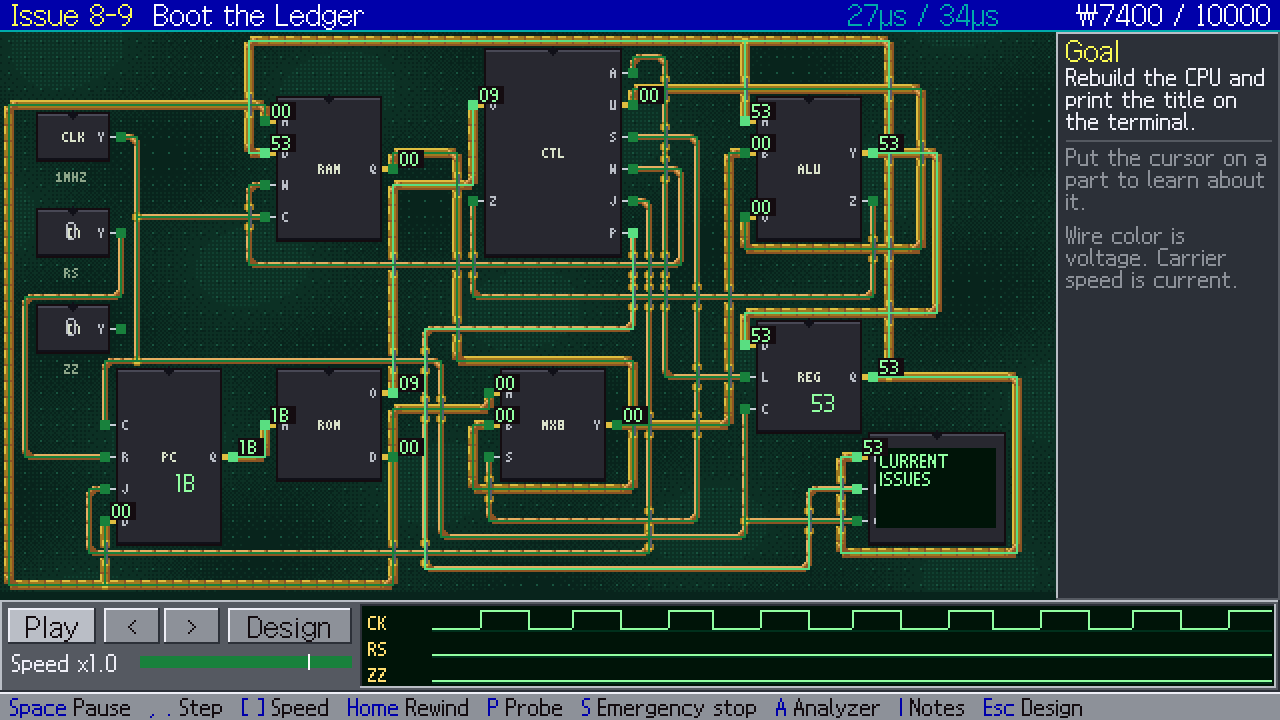
It’s 1985, and you’ve inherited a harbor repair shop along with a ledger of open issues going back to 1925. Work through sixty years of electronics, from a single light bulb to a CPU you assemble yourself, and finish by booting the ledger on the machine you built.
Report bugs and share feedback on Discord- Genre
- Puzzle · Educational · Simulation
- Issues
- 90 in 8 chapters
- Platforms
- Windows · Web
- Languages
- Korean · English
- Input
- Keyboard · Mouse · Gamepad
- Engine
- Godot
C:\REPAIR>CI.EXE /LEDGER
90 ISSUES IN 8 CHAPTERS
FROM ONE BULB TO YOUR OWN CPU
KEYBOARD / MOUSE / GAMEPAD
ENGLISH + KOREAN WINDOWS + WEB
01 · Bulb-headed workers
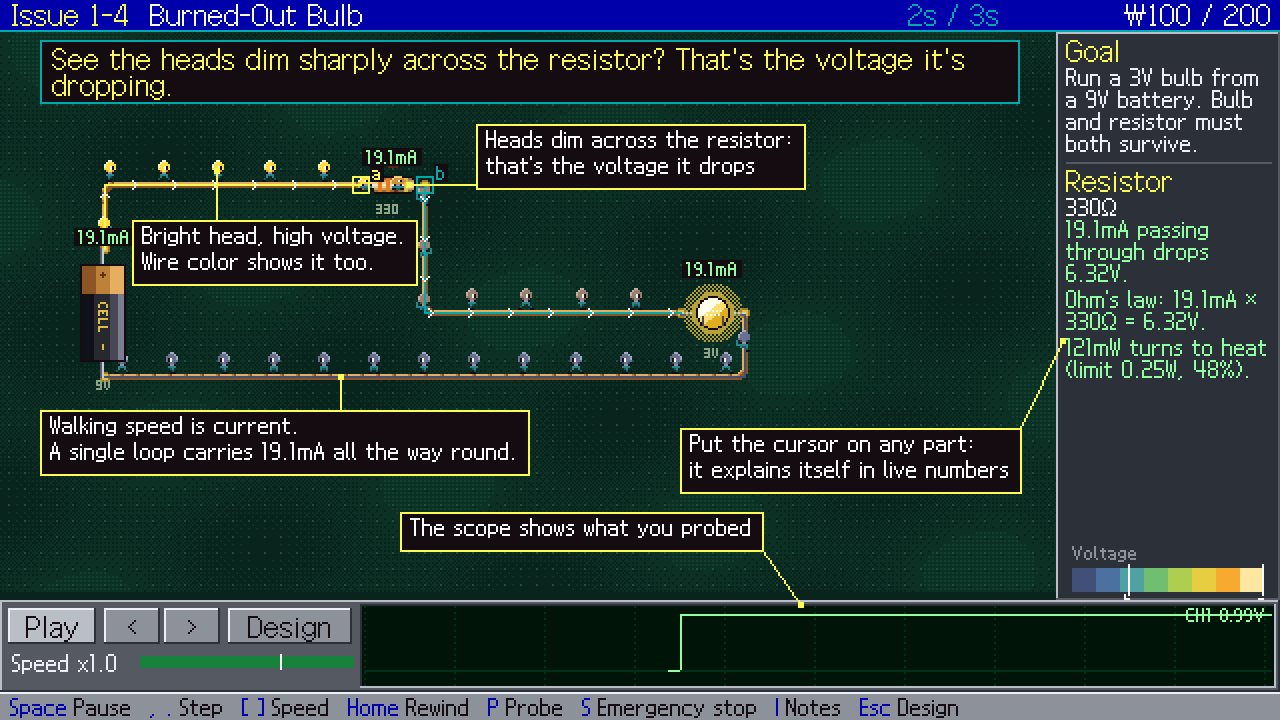
Walking speed is current. Head brightness is voltage.
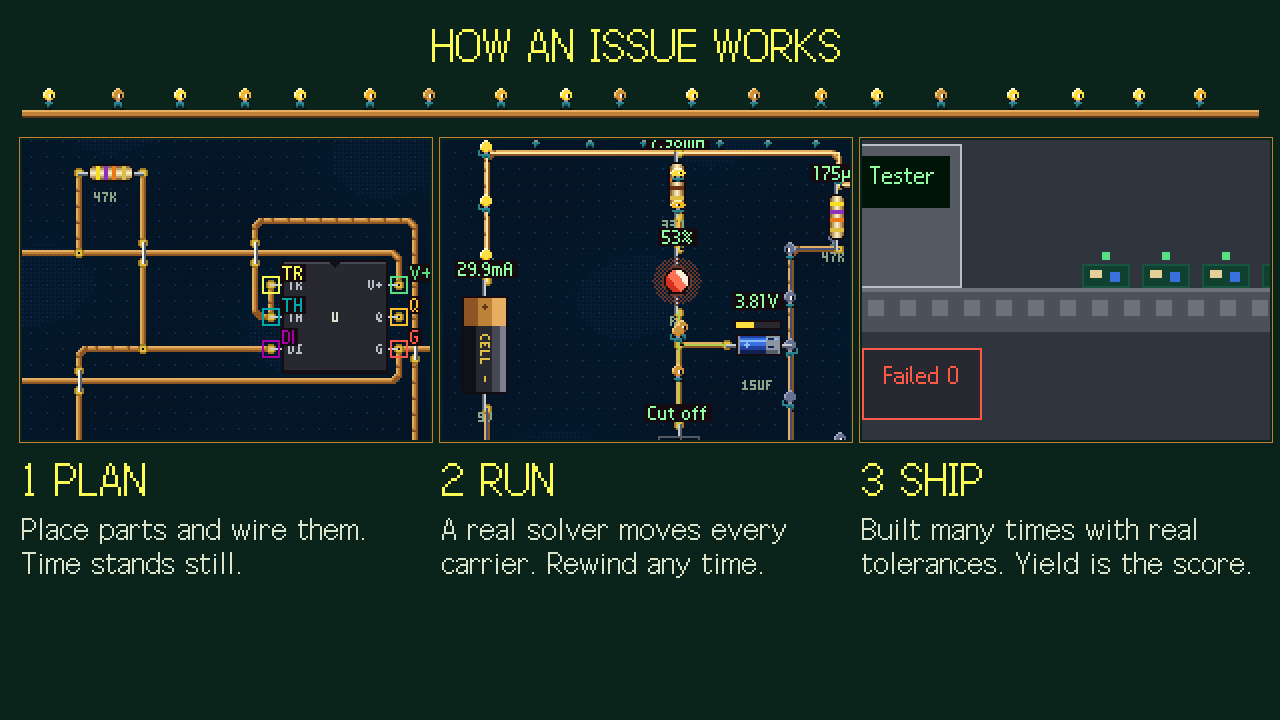
The workers walking the copper traces aren’t a canned animation. They move the way a circuit solver says they should, and that solver was checked against ngspice, the industry reference simulator. Watch their heads dim as they squeeze through a resistor and you’ve just seen a voltage drop.
- Hover over a part while the circuit runs and it tells you what it’s doing right now, with live numbers.
- Probe any point and its waveform shows up on the scope at the bottom of the screen.
- Rewind any run to the moment something went wrong.
Try it: change the resistor and save the bulb.
This page treats the bulb as a fixed 140 Ω resistor to keep the math simple. In the game, a solver checked against ngspice moves the workers.
- Ch 1 1925Bulbs and Batteries
- Ch 2 1935Time and Energy
- Ch 3 1948AC and Radio
- Ch 4 1958Transistors
- Ch 5 1968Analog IC
- Ch 6 1975Logic
- Ch 7 1980Mixed Signals
- Ch 8 1985Machine
From a 1925 light bulb to a 1985 CPU.
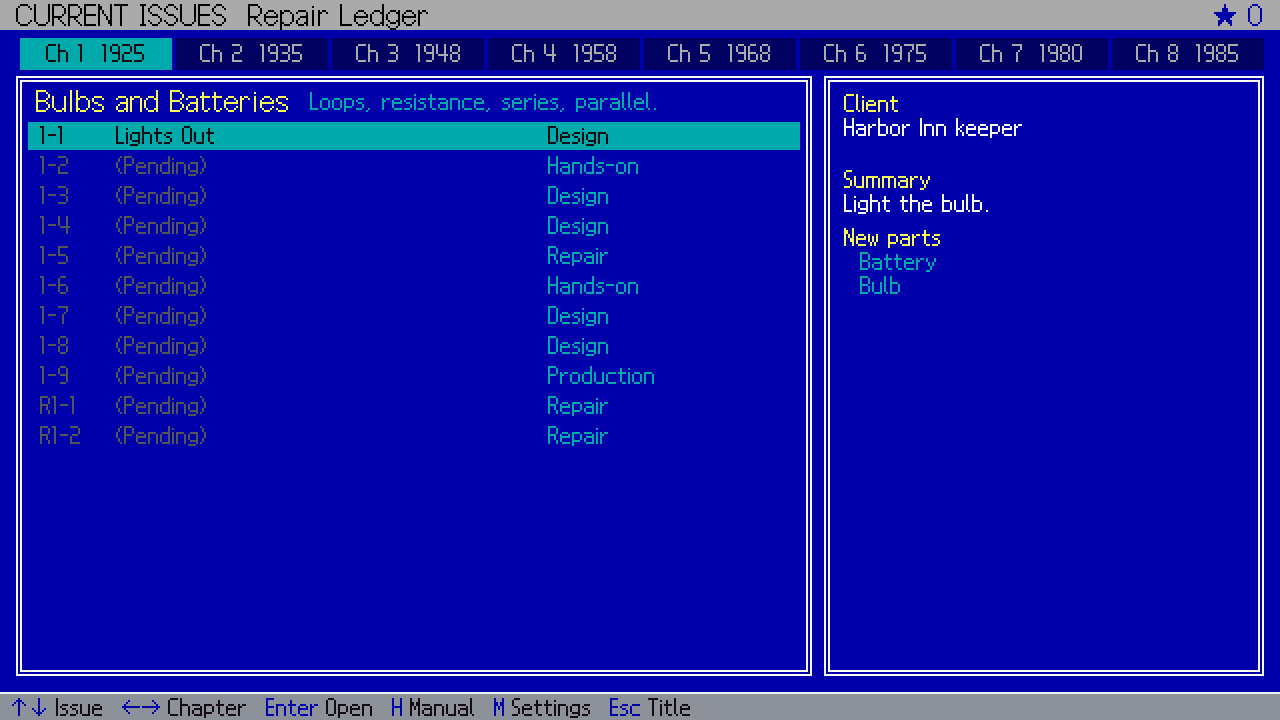
The ledger holds 90 issues across eight chapters: 72 story issues plus 18 repair jobs where you track down the fault with a probe. Each chapter moves the calendar forward and brings in new parts.
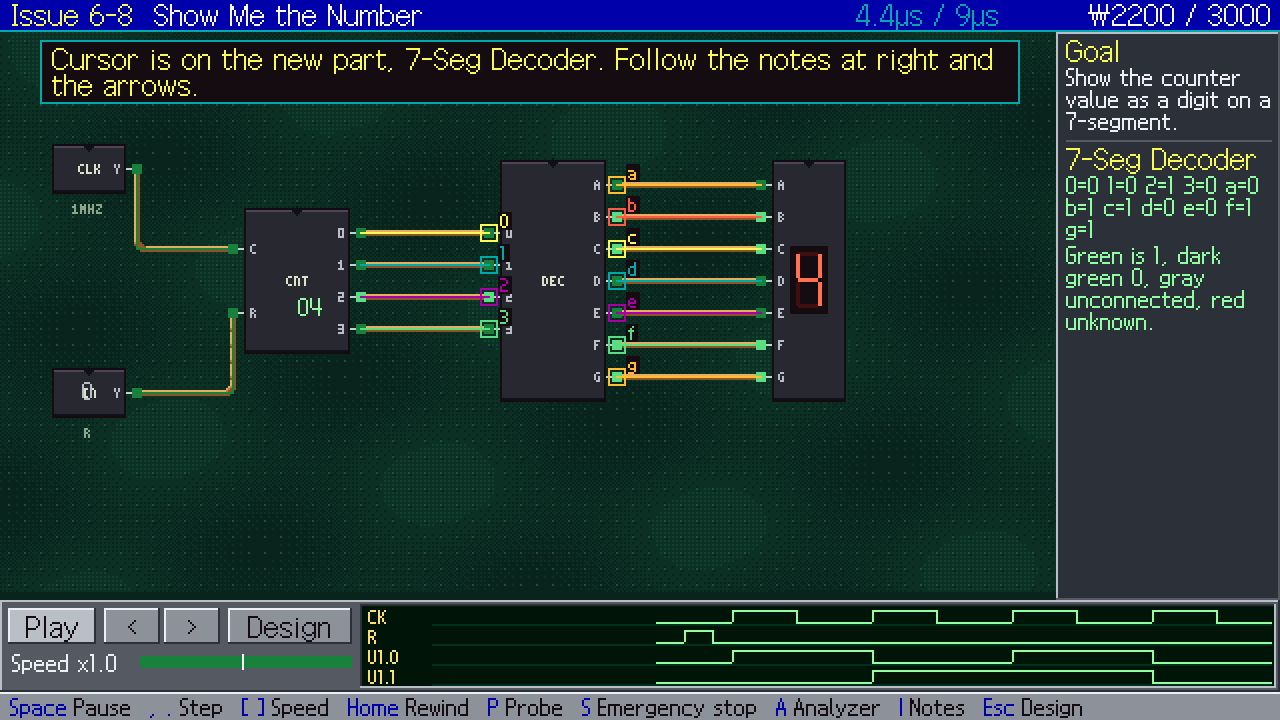
- Real parts, one at a time: resistors, capacitors, coils, relays, transformers, diodes, transistors, MOSFETs, op-amps, the 555, logic gates, flip-flops, RAM, ROM and an ALU.
- New parts arrive with an animated card, and every issue has hints and a manual close at hand. No electronics background needed.
90issues
72story issues
18repair jobs
60years of electronics
03 · Parts
Every part shows how it works.
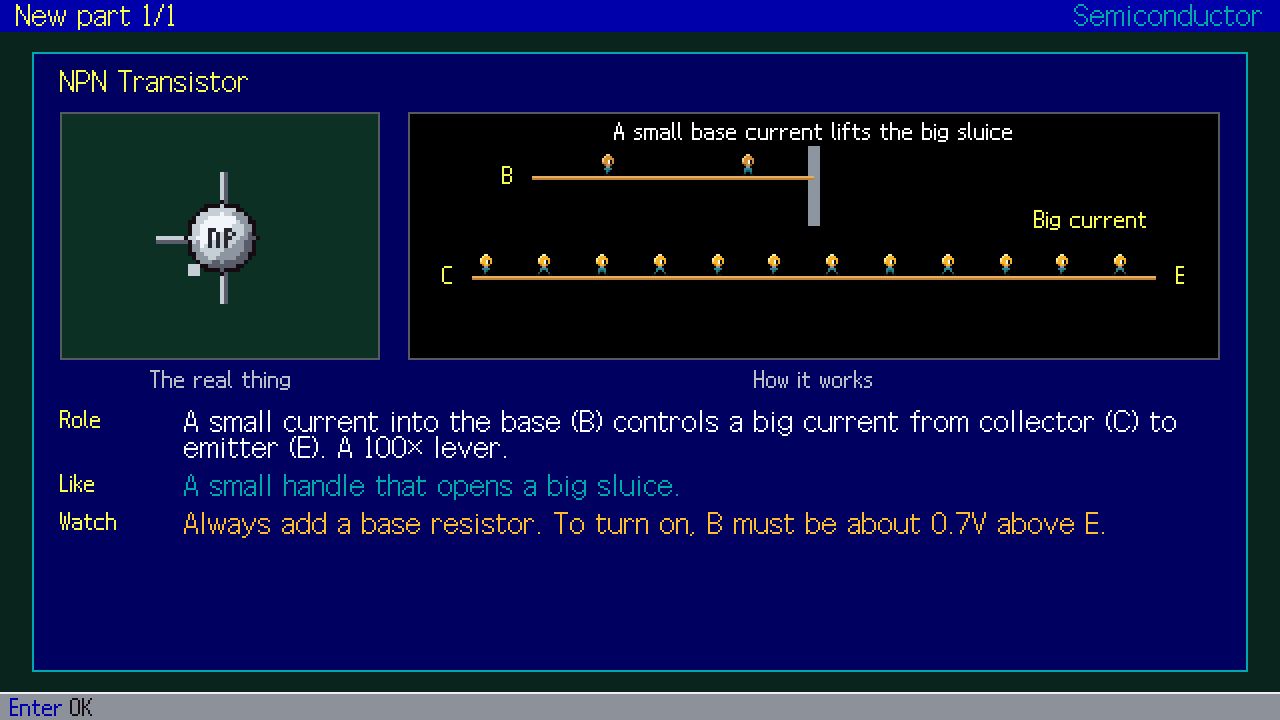
Each part has its own moving picture. When a new one arrives, a card shows the real thing, how it works, what it does, a comparison and what to watch for, and the manual keeps every card at hand.
- Resistor
- Capacitor
- Coil
- Diode
- MOSFET
- Op-amp
- 555
- Logic gates
- RAM
- ROM
- ALU
- Role
- A small current into the base (B) controls a big current from collector (C) to emitter (E). A 100× lever.
- Like
- A small handle that opens a big sluice.
- Watch
- Always add a base resistor. To turn on, B must be about 0.7 V above E.
04 · Production runs
It has to work on every board.
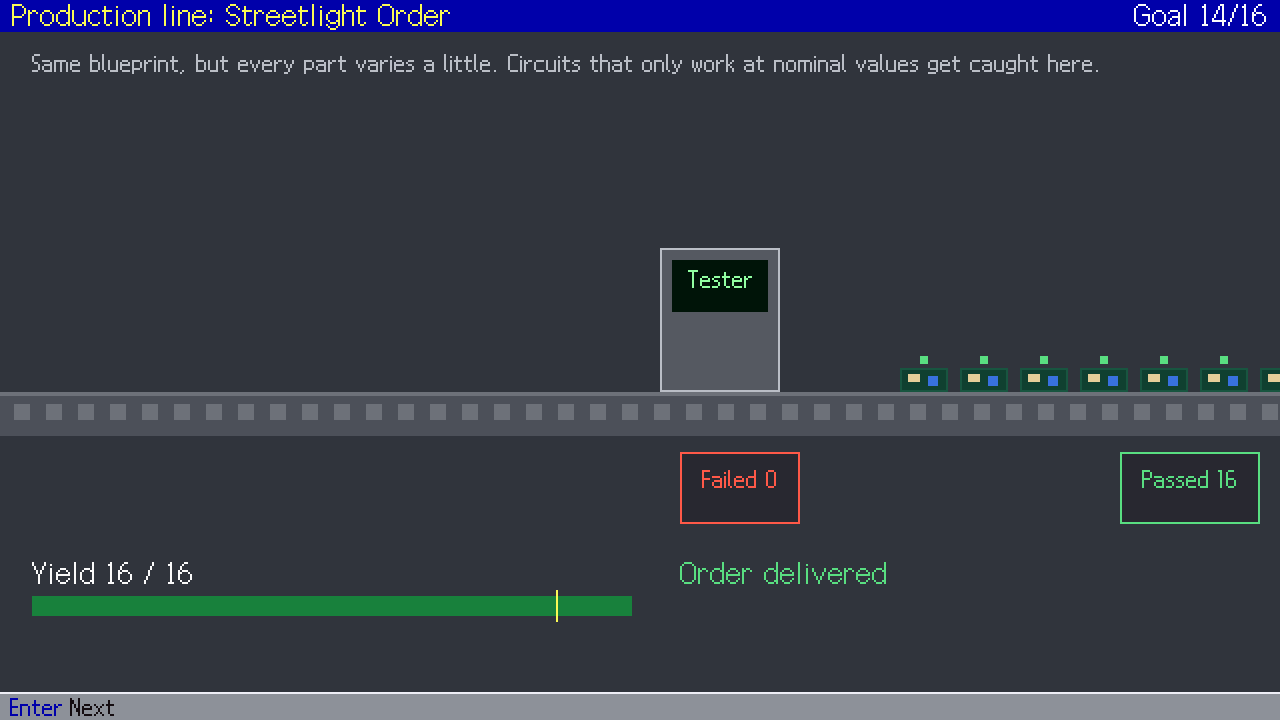
Production jobs build your design many times over from parts with real tolerances. The boards roll past a tester on a conveyor, and the yield is your score. Circuits that only work at nominal values get caught here.
05 · DOS soul
256 VGA colors and a text-mode ledger.
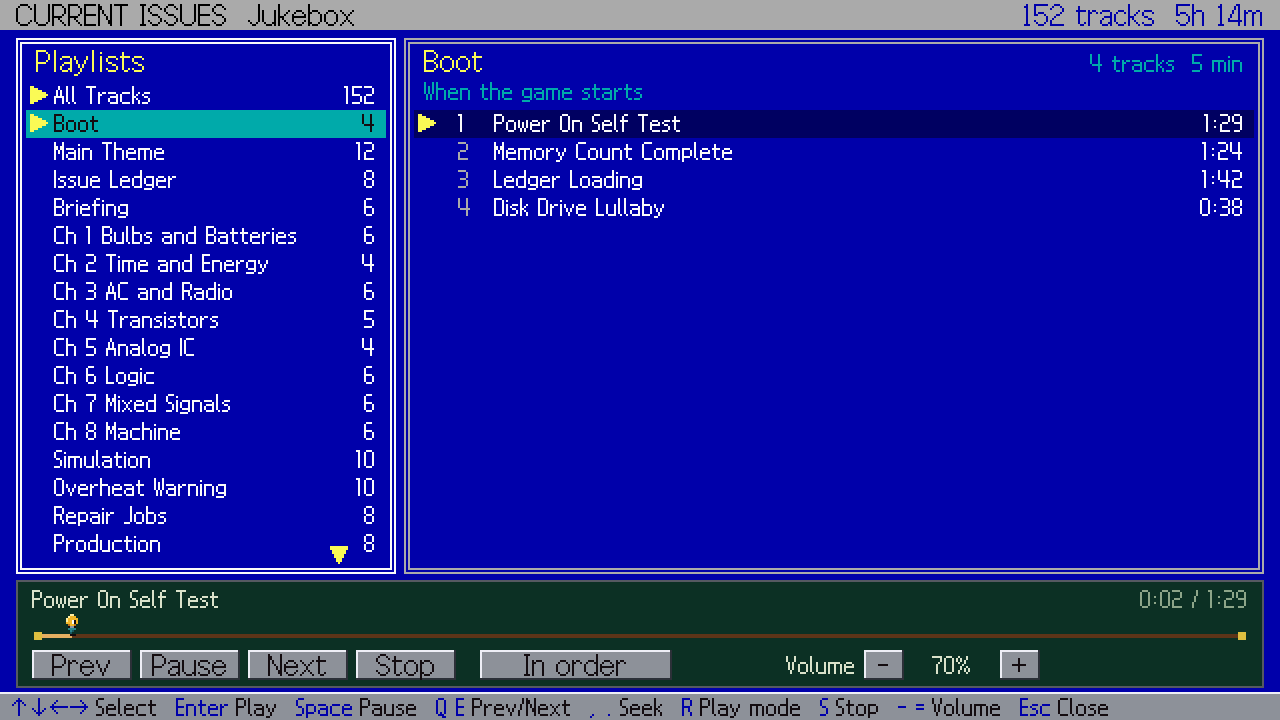
A 256-color VGA palette, palette cycling and a text-mode ledger, all at a crisp 640×360. 152 tracks follow what you’re doing, and the jukebox on the title screen lets you browse every playlist.
Controls
Keyboard, mouse or gamepad.
Arrows move, Tab jumps between pins, 1 to 8 pick parts, Enter places, W wires, R rotates, + and - change values, Space runs, / hints, H opens the manual, F goes fullscreen.
Left click is Enter and right click is Esc. The key hints at the bottom of the screen are clickable, and the ■ item lists every other command.
D-pad or left stick moves, A confirms, B cancels, X wires, Y rotates, LB/RB change the parts page, RT jumps to the next pin, Start runs, the right stick changes values. Back lists the rest.
Web browser
- Starts after about 11 MB.
- Music streams in as you play, about 1.3 MB per track.
- Your browser keeps tracks it has downloaded.
Windows
- Includes all 152 tracks.
- F toggles fullscreen.
FAQ
Frequently asked questions
Do I need to know electronics?
No. Every new part comes with an animated card, every issue has hints and a manual, and hovering over a part while the circuit runs tells you what it’s doing in plain words and live numbers.
How accurate is the circuit simulation?
The workers move according to a real circuit solver whose results were checked against ngspice, the industry reference simulator. Production jobs add real part tolerances on top.
How do the web and Windows versions differ?
The browser version starts after about 11 MB and streams music as you play, fetching the next track ahead and keeping what it has downloaded. The Windows download includes all 152 tracks.
Can I use a mouse or a gamepad?
Yes. Since 1.1, everything works with either one. Left click is Enter and right click is Esc. Touch behaves like the mouse, but buttons are small on a phone, so a desktop screen is recommended.
Which language does it use?
It follows your system language: Korean for Korean, English for everything else. Change it at the top of Settings.
More games
Play something else.
Iron & Asphalt
A transport tycoon set in South Korea
View game
CHAEBOL
An ASCII board game about building a Korean business empire
View game
CURRENT PARADE

A circuit puzzle about getting a parade of tiny electrons home
View game

The Blackout
After the blackout, wake the AI they outlawed