Skip to content
All apps
Lina Notes icon

Productivity

iOS · Android

Lina Notes

One place to write, listen and find what matters

A focused notebook for Apple Pencil handwriting, PDF annotation and time-linked lecture audio, organized with folders and tags in a storage location you control.

Free download code for students
Lina Notes app preview

6

Favorite pens

6

Page templates

.lina

Notebook backup

Screen story

6 SCENES · v1.0.10

Read what the app does, screen by screen.

Real App Store scenes are sequenced around the feature and its context. Each image is captioned with the role of the screen in view.

01

Flexible handwriting

Write with the right pen, then reorganize every stroke.

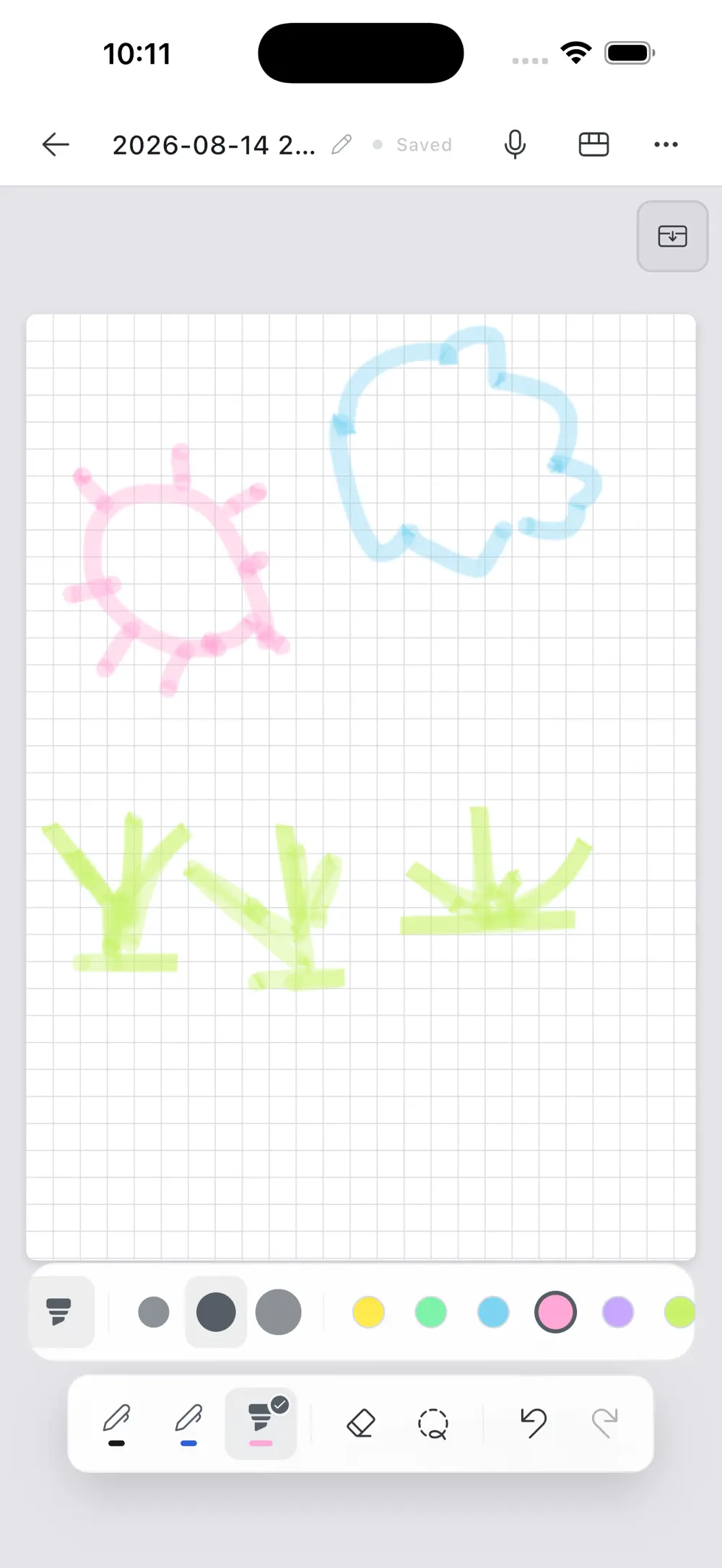
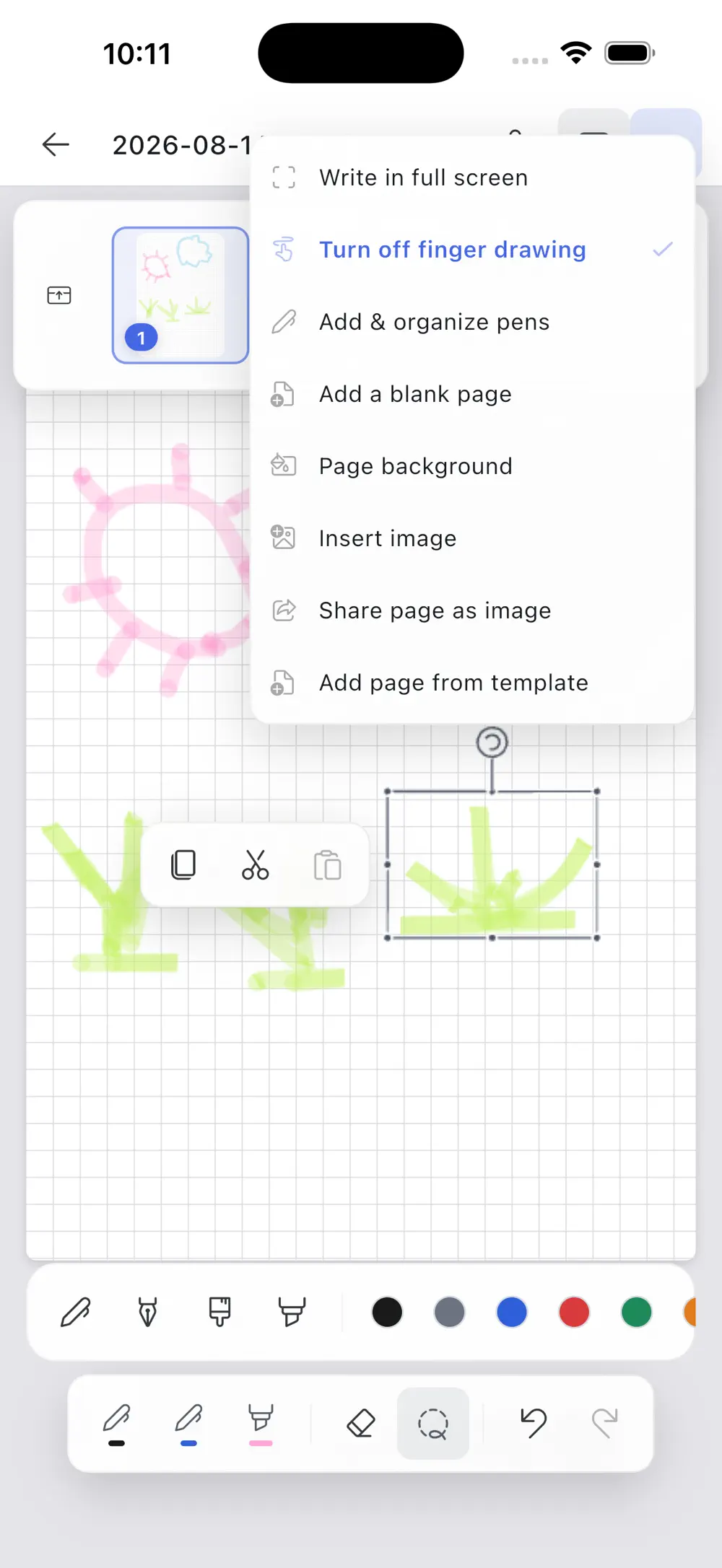
Tune ballpoint, fountain, brush and highlighter pens and keep favorites close. Lasso or rectangle selections move, rotate and copy handwriting, while images can live beside the ink.

The writing canvas with quick pen, highlighter and color controls
02The writing canvas with quick pen, highlighter and color controls
Editing tools for pages, selected handwriting and inserted images
03Editing tools for pages, selected handwriting and inserted images
02

Audio and pages

Keep the voice of the lecture beside the structure of the notebook.

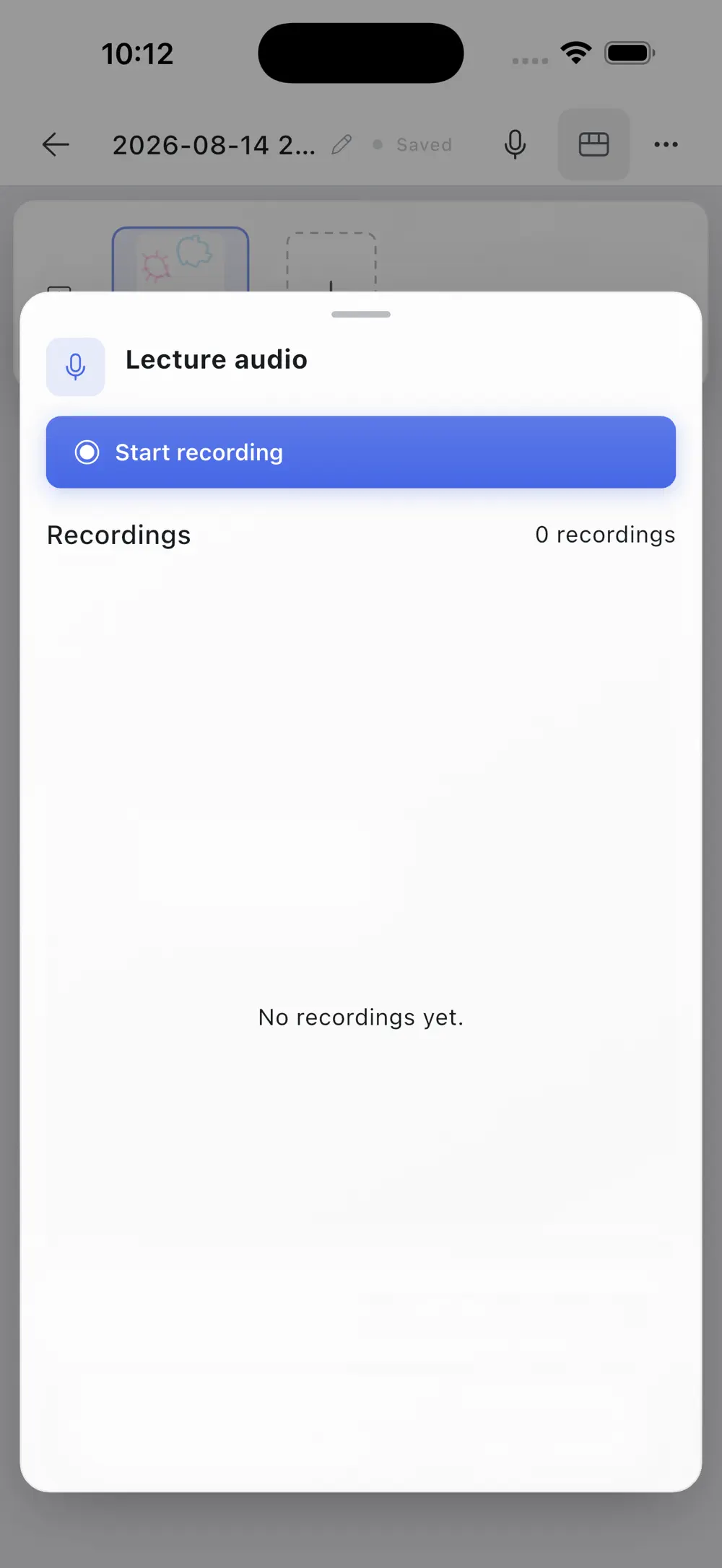
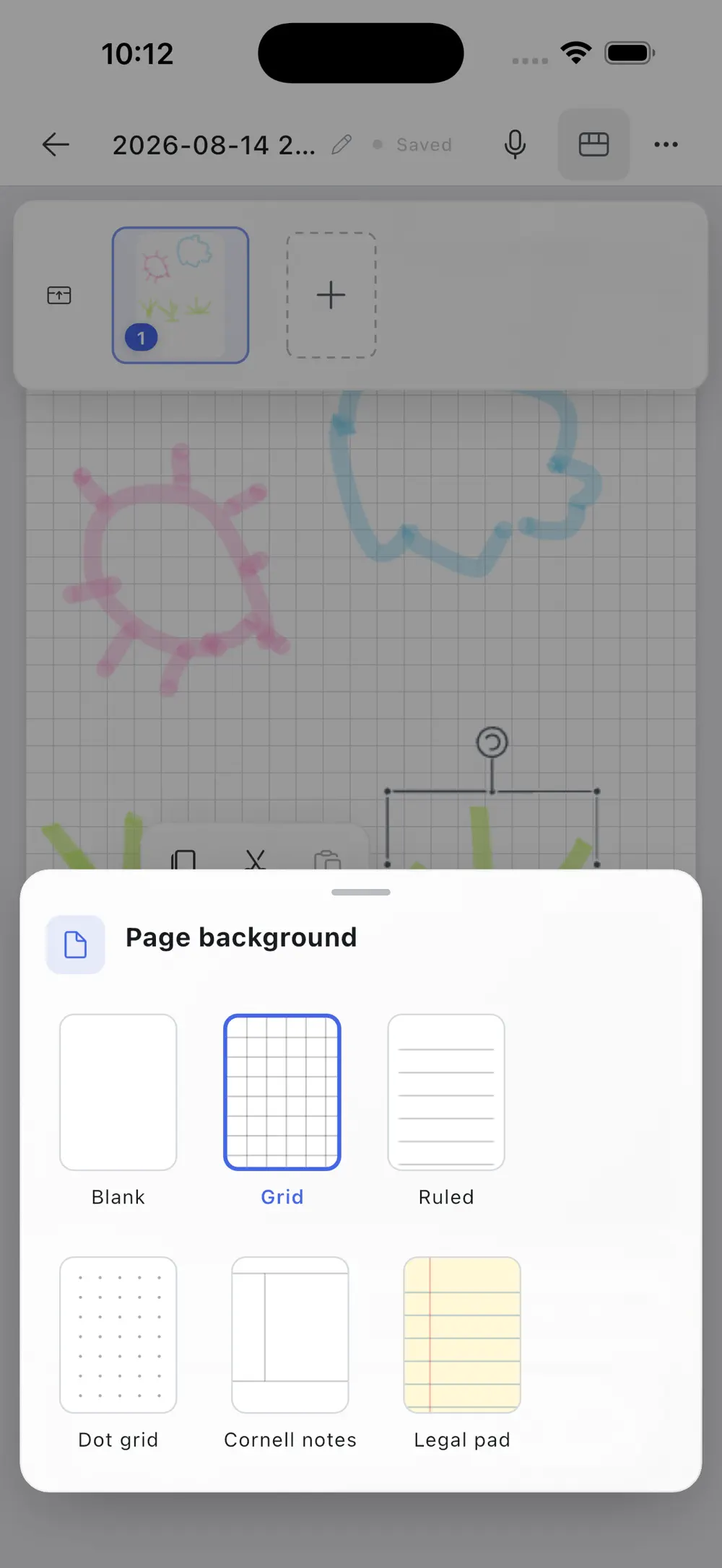
Start recording inside the notebook and link written strokes to the audio timeline. Mix blank, ruled, grid, dot-grid, Cornell and legal-pad templates page by page.

The in-note panel for starting and managing lecture recordings
04The in-note panel for starting and managing lecture recordings
Six page templates that can be mixed inside one notebook
05Six page templates that can be mixed inside one notebook
03

Your files

Choose where notebooks live and how they travel.

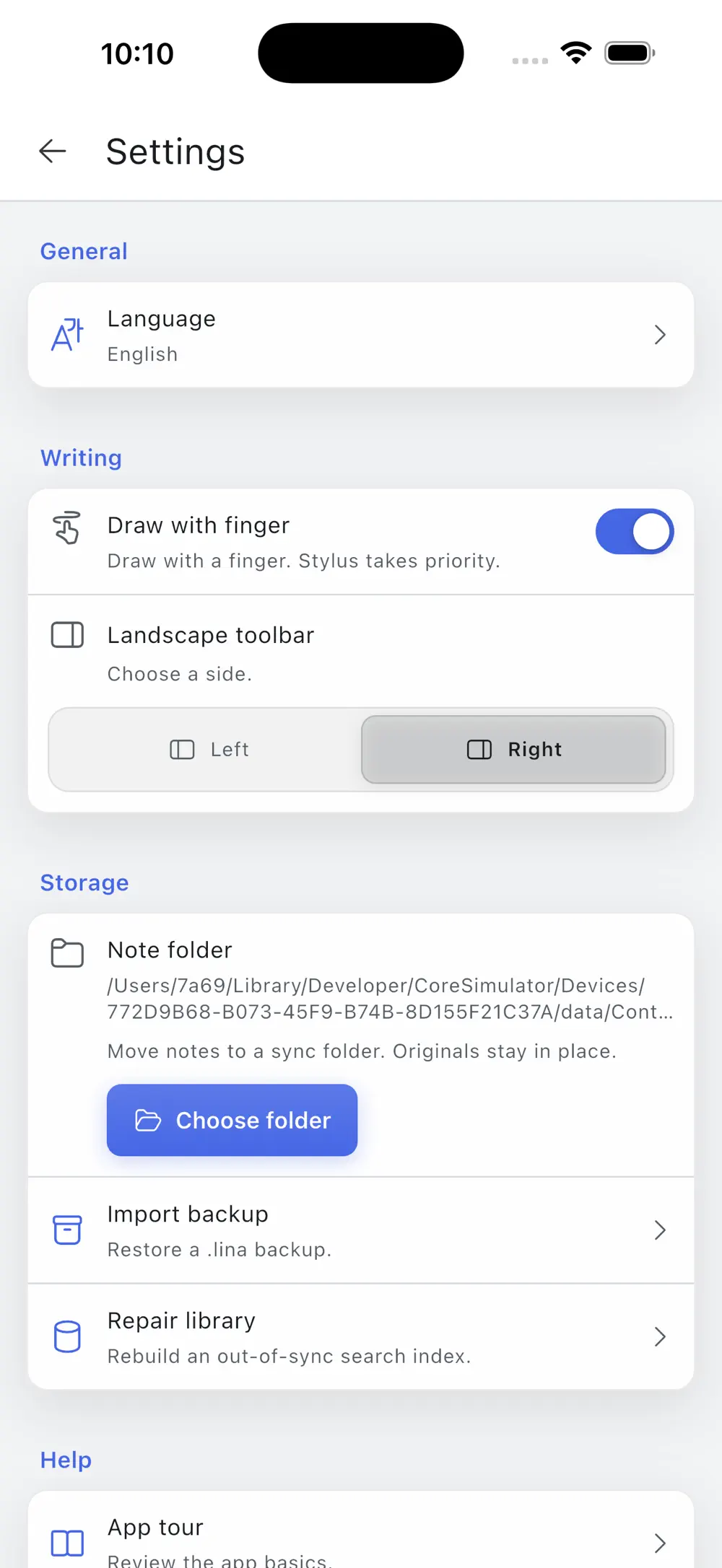
Choose on-device storage or a folder managed by a compatible sync service. A portable .lina backup keeps source PDFs, handwriting, images and recordings together for restore.

Storage settings for folder selection and .lina backup restore
06Storage settings for folder selection and .lina backup restore

Made for

People with a particular need.

01

Students combining class notes with recorded review

02

Teachers and researchers marking up papers and lesson PDFs

03

Professionals organizing meetings, ideas and projects by hand

Privacy & note

You choose where notebooks live and can export or restore source PDFs, handwriting, images and recordings yourself through a portable .lina file.

FAQ

Asked before downloading.

Version
1.0.10
Size
29 MB
Age rating
4+
Minimum iOS
15.0
Which page templates are available?

Blank, ruled, grid, dot-grid, Cornell and legal-pad pages are available, and different templates can be mixed in one notebook.

Can I return to the moment when a note was written?

Yes. Tap handwriting created during a recording to resume playback from its linked moment.

Where are notebooks stored?

Choose on-device storage or a compatible folder you control. Individual notebooks can also be exported and restored as .lina files.

Get the app

One place to write, listen and find what matters

v1.0.10

Keep exploring

Step into another world.