Skip to content
All apps
LinaPad icon

Productivity

iOS · Android

LinaPad

Return to the recording through the notes you wrote

A local-first notebook that combines PDF annotation, freeform pages and lecture recording, linking handwritten strokes to the exact moment in the audio.

Free download code for students
LinaPad app preview

4

Pen tools

Playback speed

.linapad

Editable backup

Screen story

7 SCENES · v1.0.9

Read what the app does, screen by screen.

Real App Store scenes are sequenced around the feature and its context. Each image is captioned with the role of the screen in view.

01

Vector handwriting

Write with the ease of paper, then edit with digital precision.

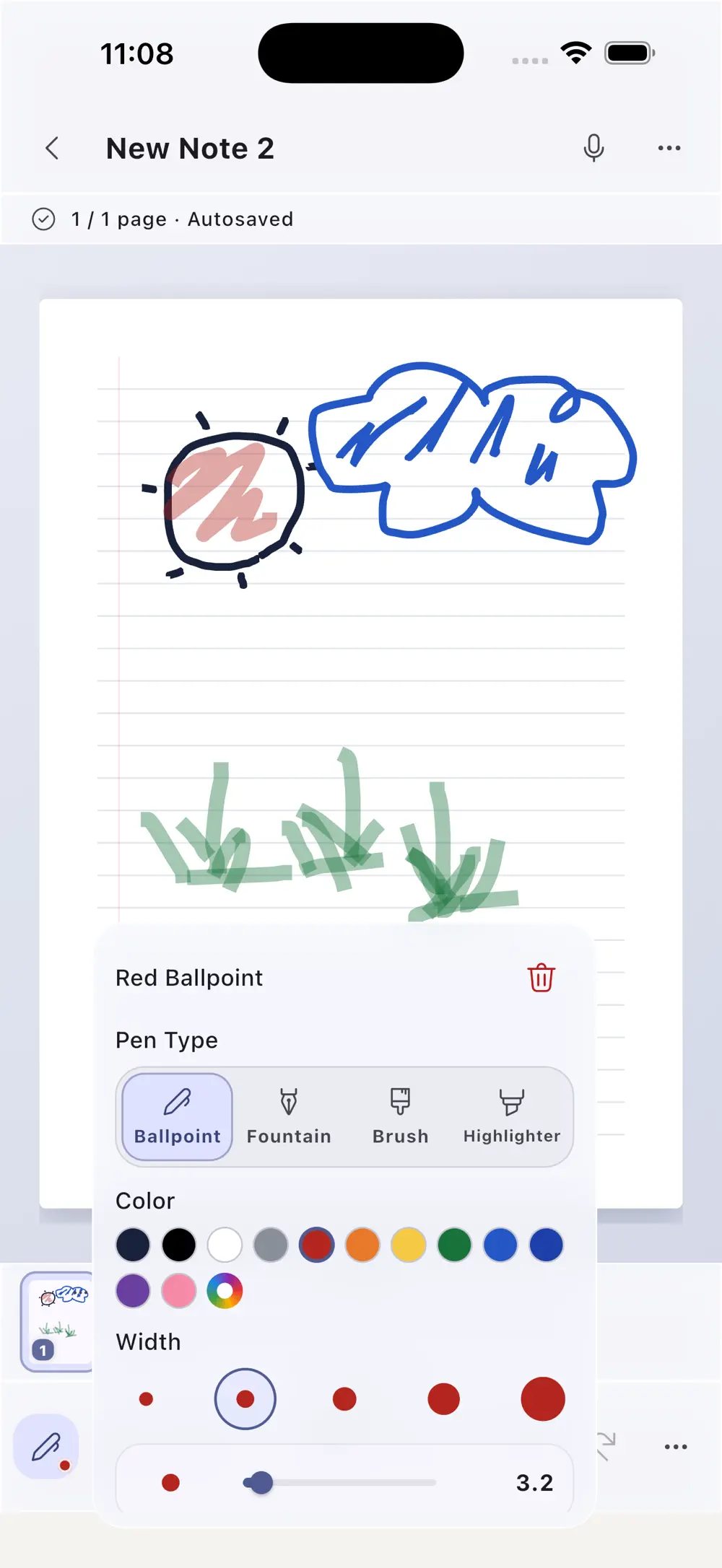
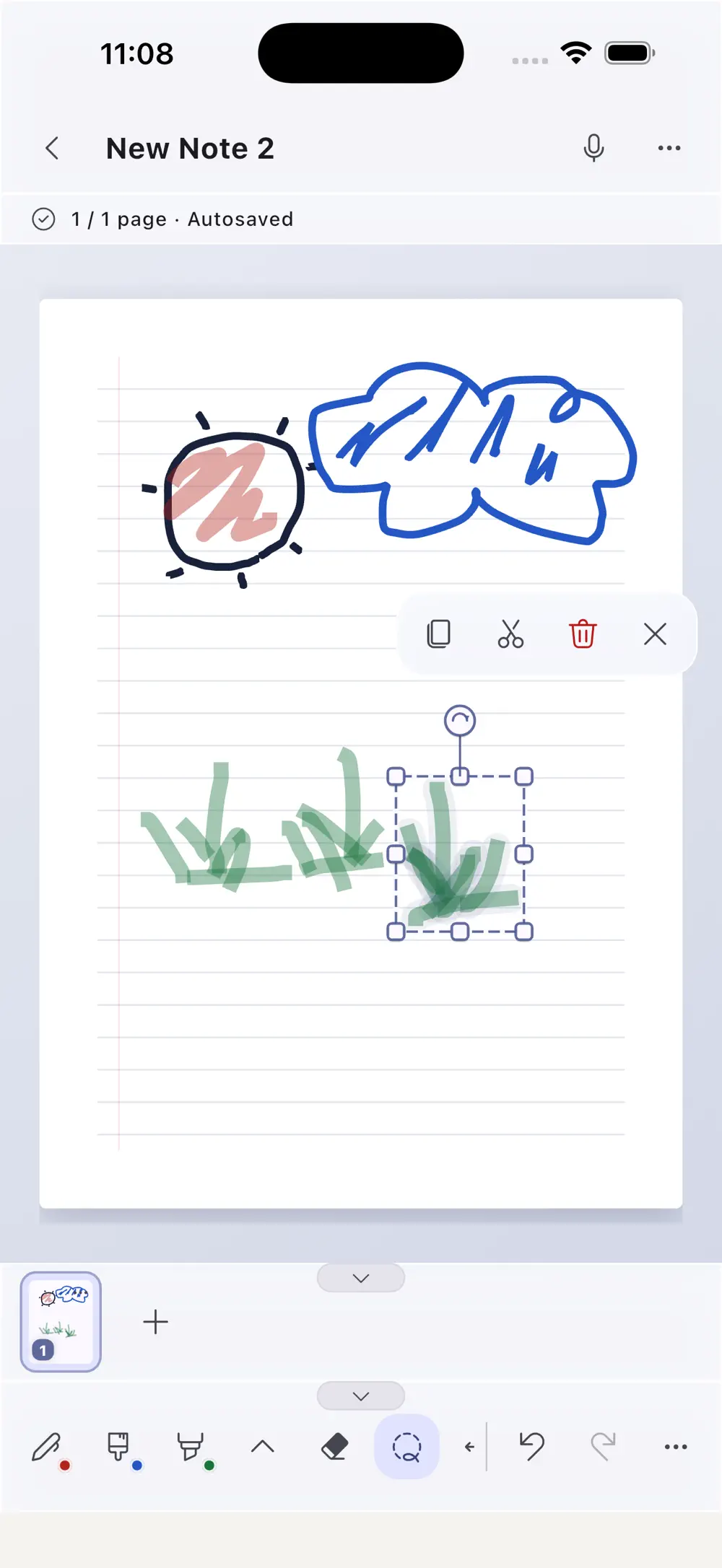
Tune color and width across four pen tools, then lasso the exact strokes to move, rotate or copy. Ink remains crisp and editable, separate from the source PDF.

Writing controls for four pens, color and stroke width
02Writing controls for four pens, color and stroke width
Lasso editing that moves, rotates and copies selected ink
03Lasso editing that moves, rotates and copies selected ink
02

Recording and export

Bring each written moment back together with its explanation.

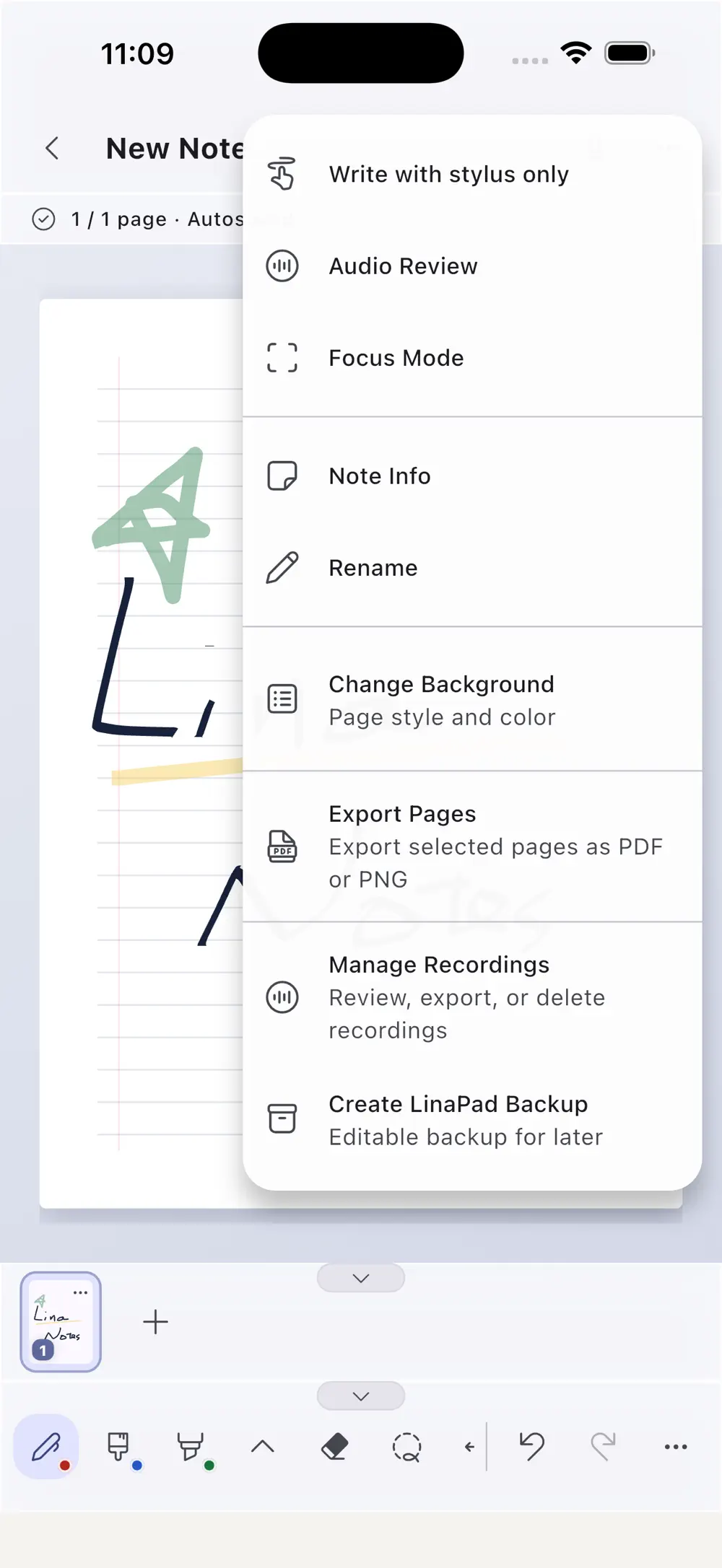
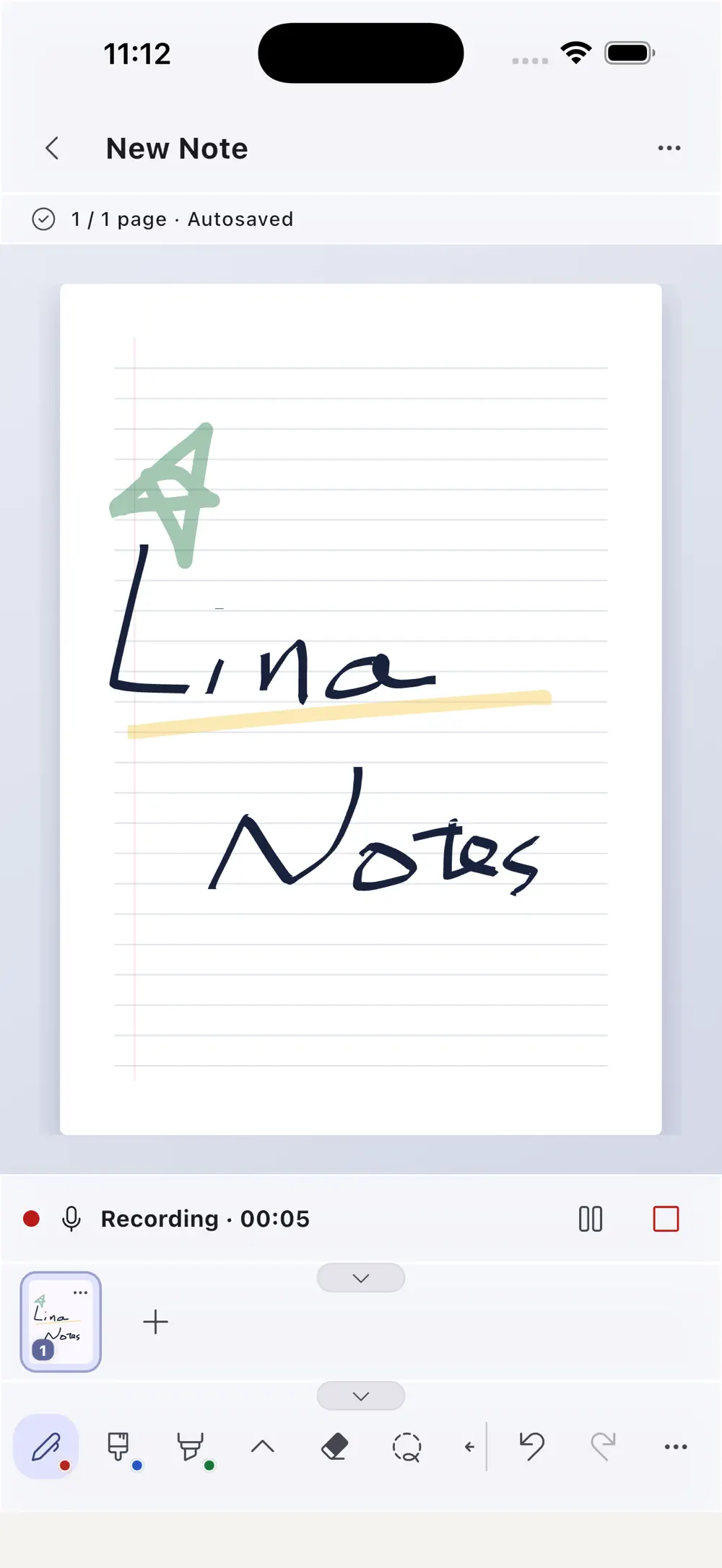
Record a lecture without leaving the page, then select a stroke to resume its connected moment. Export pages and audio for sharing or keep everything together in an editable backup.

The notebook menu for PDF, PNG and M4A export plus LinaPad backup
04The notebook menu for PDF, PNG and M4A export plus LinaPad backup
Lecture recording in progress while handwriting continues on the page
05Lecture recording in progress while handwriting continues on the page
03

Personal workspace

Match the paper and interface to the way you study.

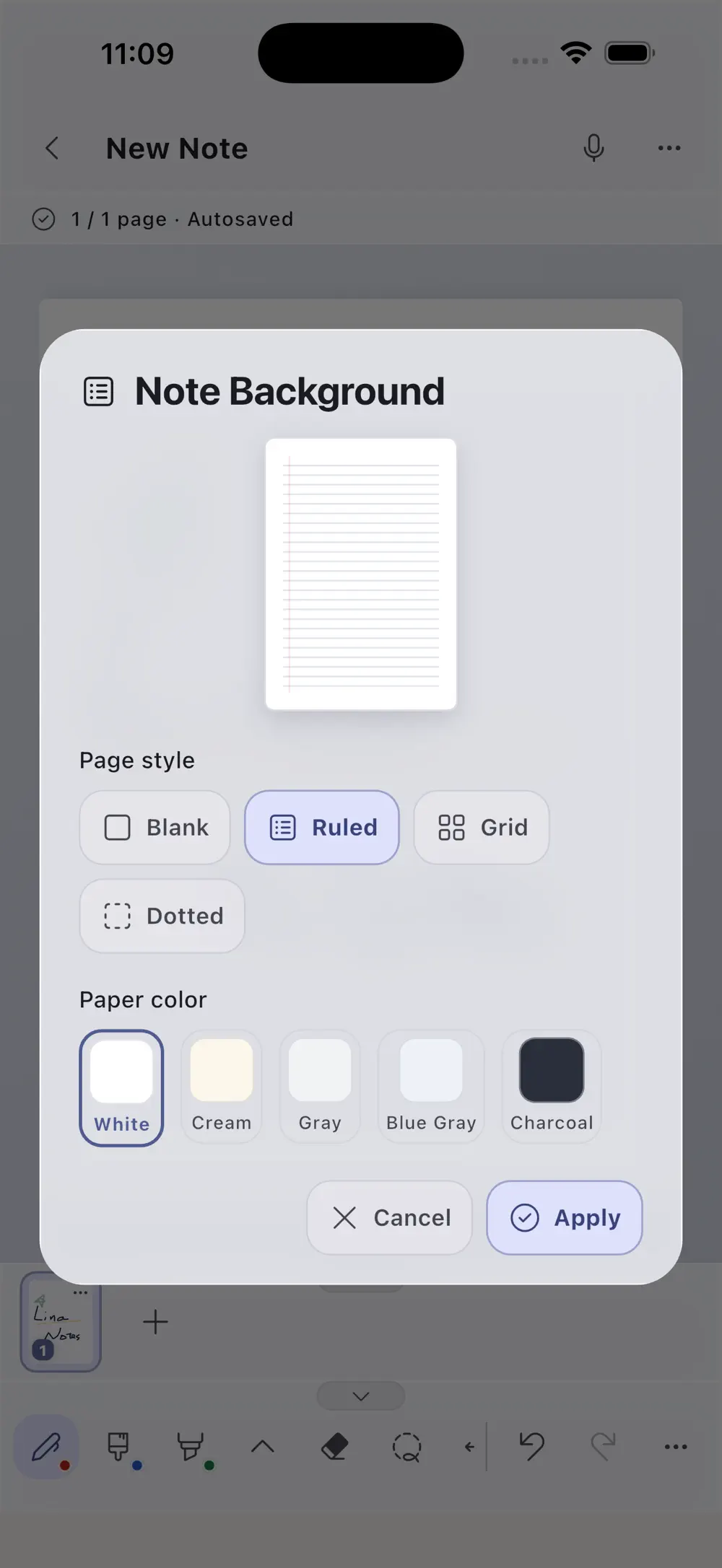
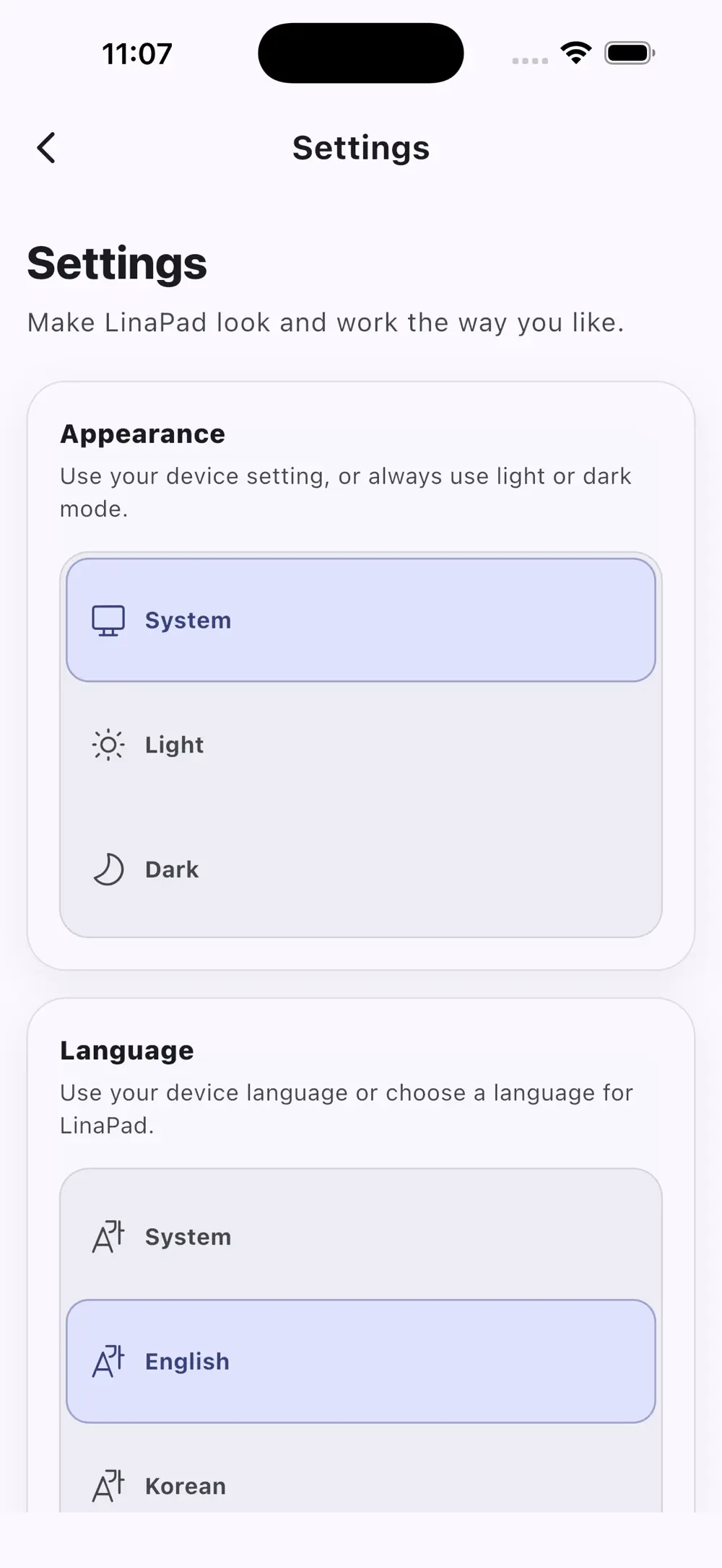
Choose blank, ruled, grid or dot paper with a preferred color, then set appearance and language. Start from an empty notebook and keep the same writing and recording workflow.

Notebook background controls for ruling and paper color
06Notebook background controls for ruling and paper color
App settings for appearance and interface language
07App settings for appearance and interface language

Made for

People with a particular need.

01

Students annotating lecture PDFs by hand

02

Learners who want a quick path back to a recorded explanation

03

Professionals keeping meeting notes and audio in the same context

Privacy & note

PDFs, handwriting and recordings stay on-device without an account or real-time cloud sync, and leave only through an export you choose.

FAQ

Asked before downloading.

Version
1.0.9
Size
34 MB
Age rating
4+
Minimum iOS
15.0
How are notes linked to a recording?

Each stroke written during recording keeps its timestamp. Selecting it during review jumps to the connected point in the audio.

Can I keep the original PDF with my notes?

Yes. Source PDFs and vector ink remain separate, while a .linapad backup can preserve the PDF, handwriting, recordings and notebook metadata together.

Does it require an account or internet connection?

No. Core writing, recording, review and export features work locally without an account.

Get the app

Return to the recording through the notes you wrote

v1.0.9

Keep exploring

Step into another world.