
Scan
Scan a whole drive or any folder you choose.
Storage utility
Windows · macOS 11.0+
See your storage. Review cleanup with evidence.
Scan a drive or folder, read its sizes on a sunburst chart, and check the reason behind each cleanup suggestion before it goes to the Recycle Bin or Trash.
01 · Visual analysis
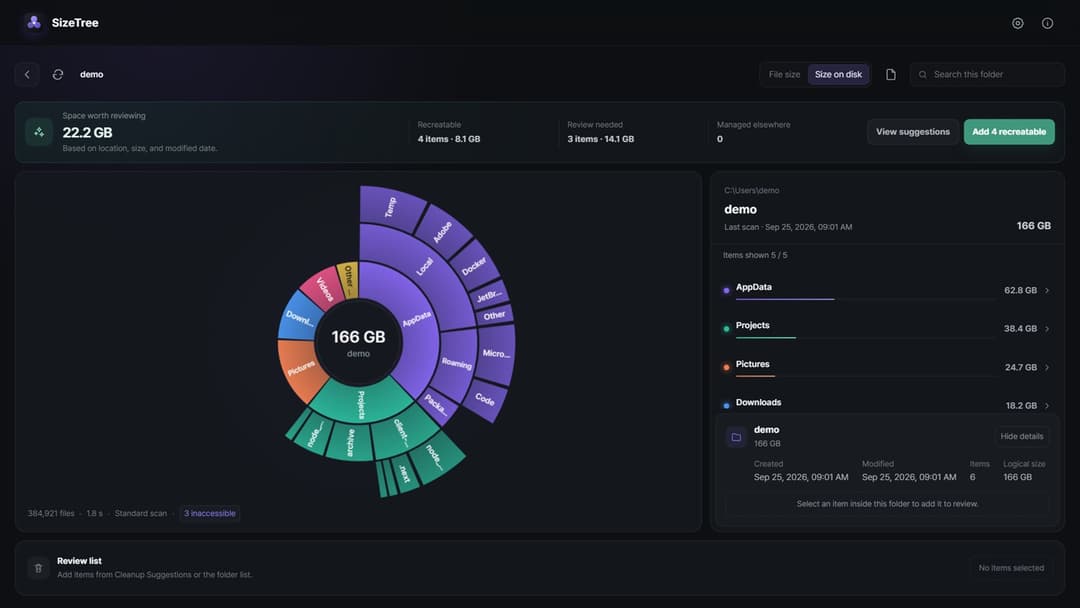
SizeTree lays folder sizes out as a sunburst, so the distribution is easier to read than a column of numbers. The chart and folder list stay in sync as you move into nested folders.
Scan a whole drive or any folder you choose.
Check why each item was suggested, then add it to the review list.
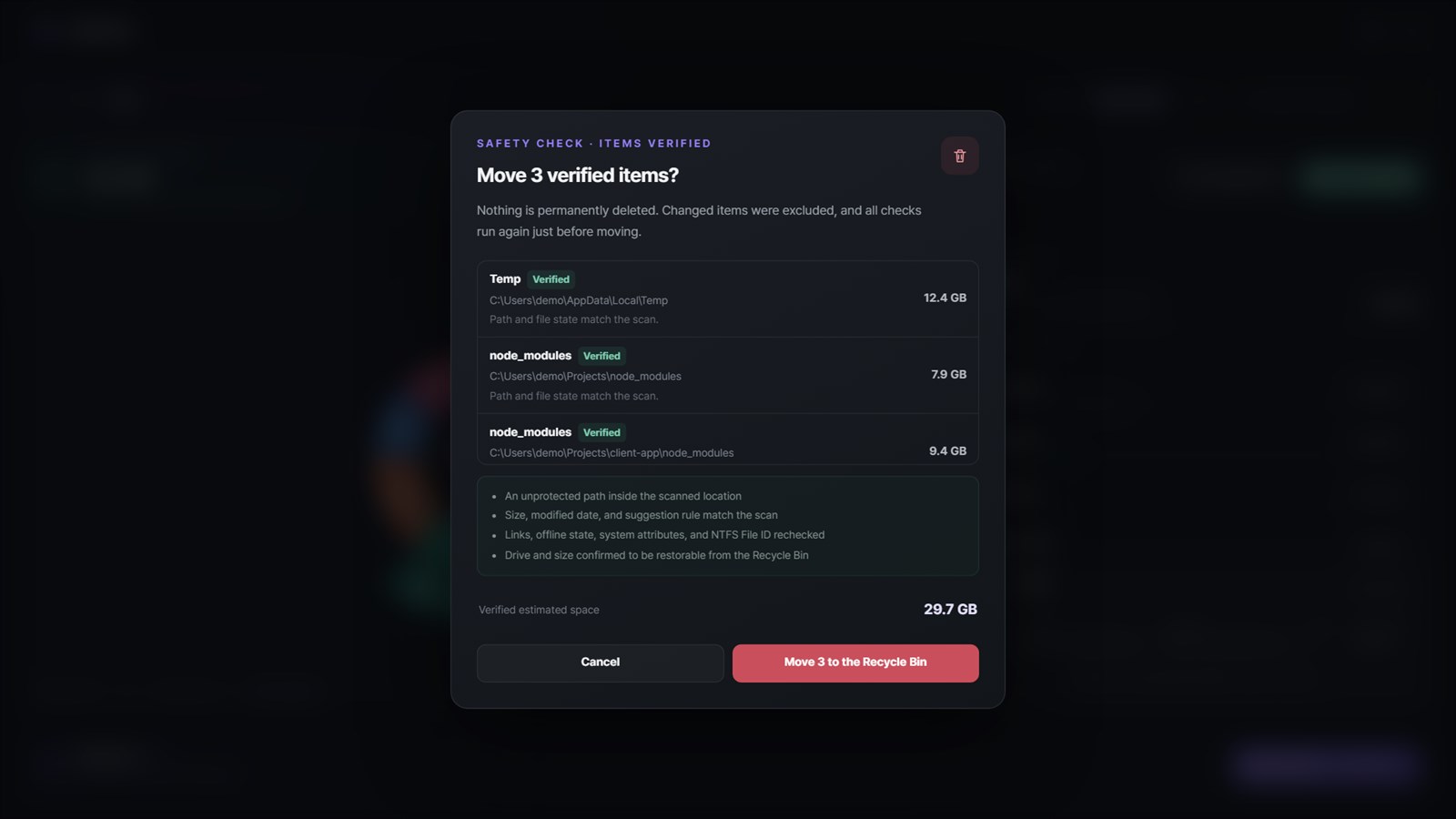
Confirm once more, then move items to the Recycle Bin or Trash.
02 · Key features
10 screenshots
Scanning
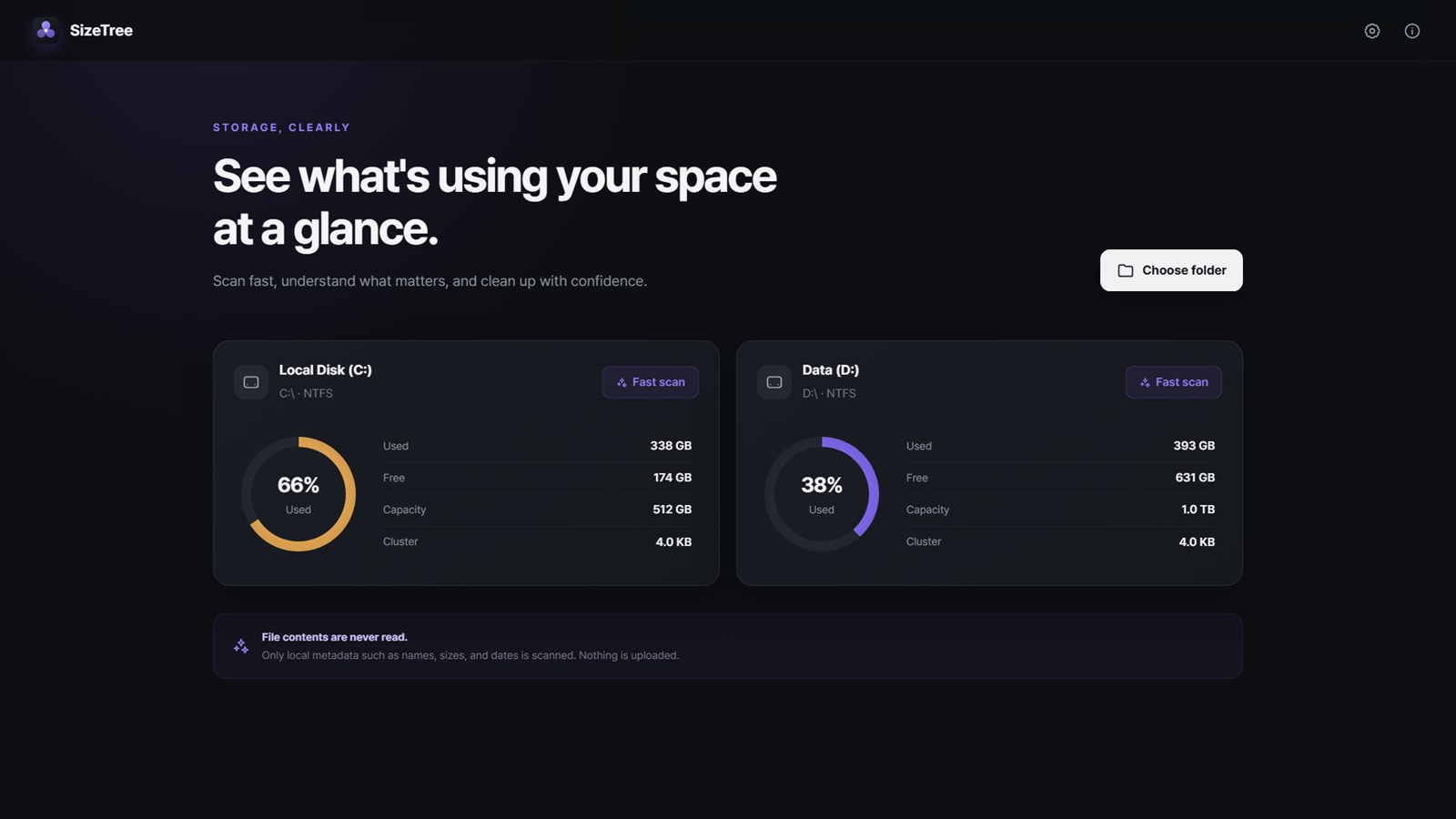
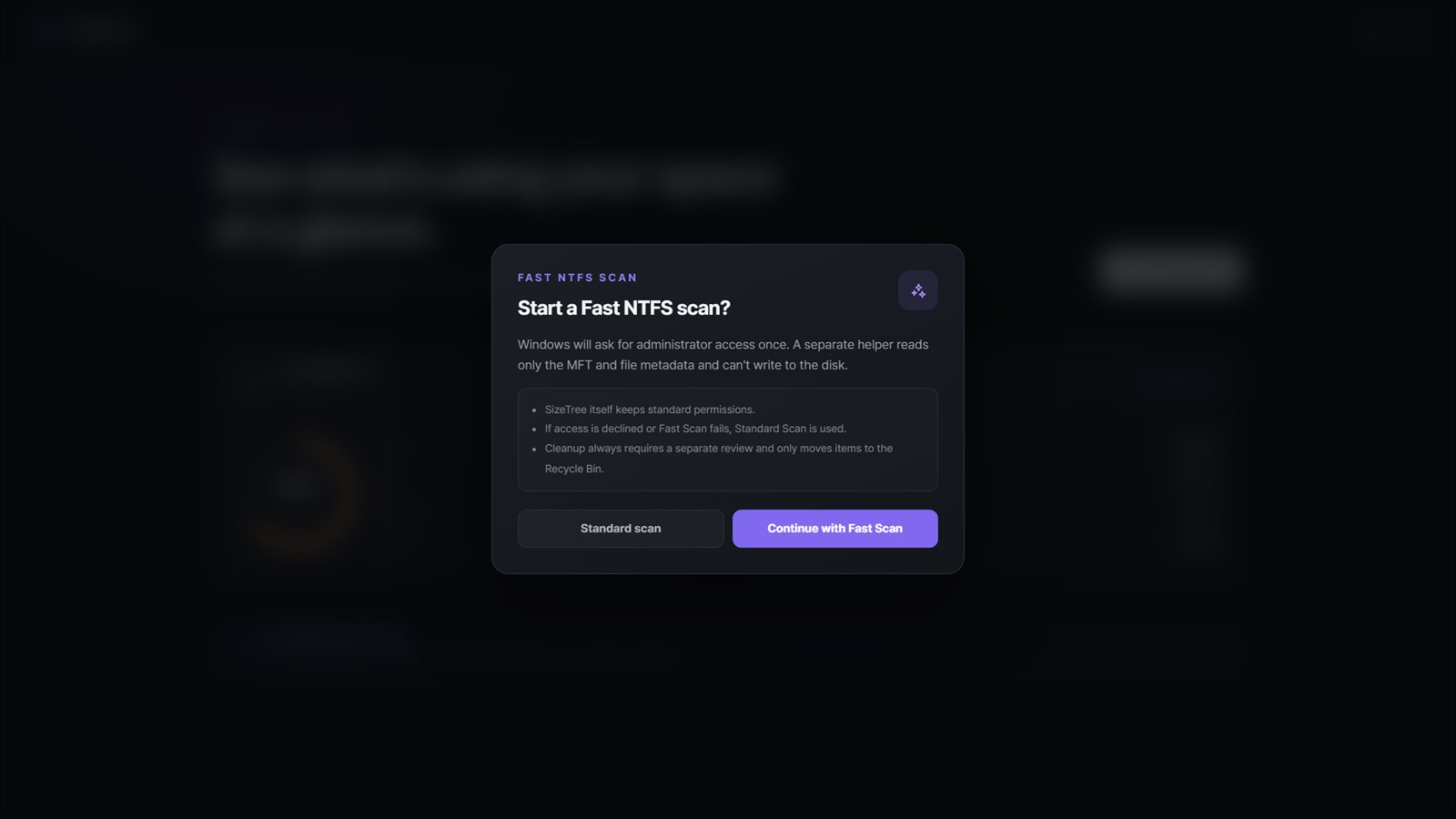
Analyze a whole drive from the home screen or choose any folder. On Windows, an optional Fast NTFS Scan reads the drive’s file index.
Explore
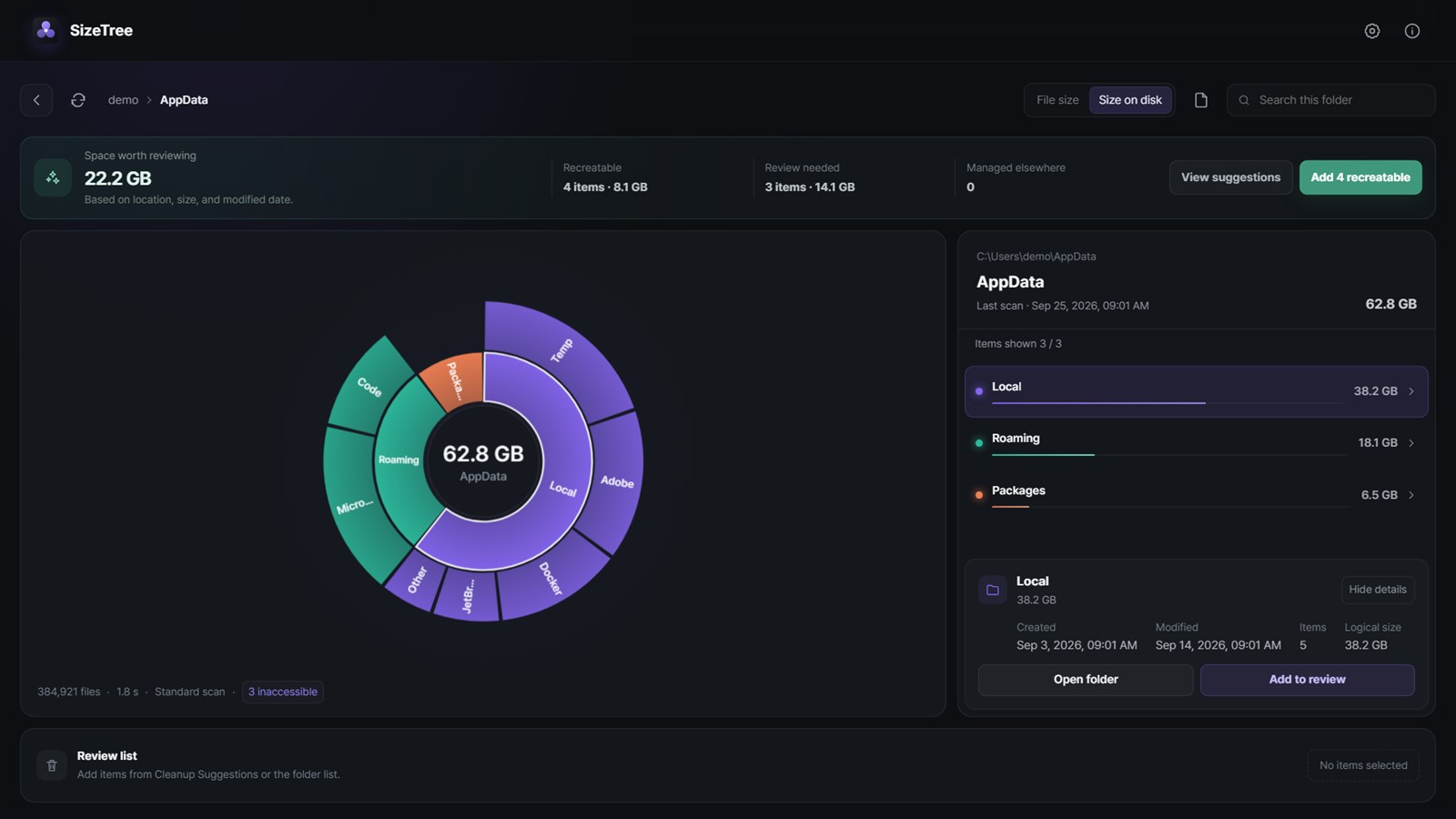
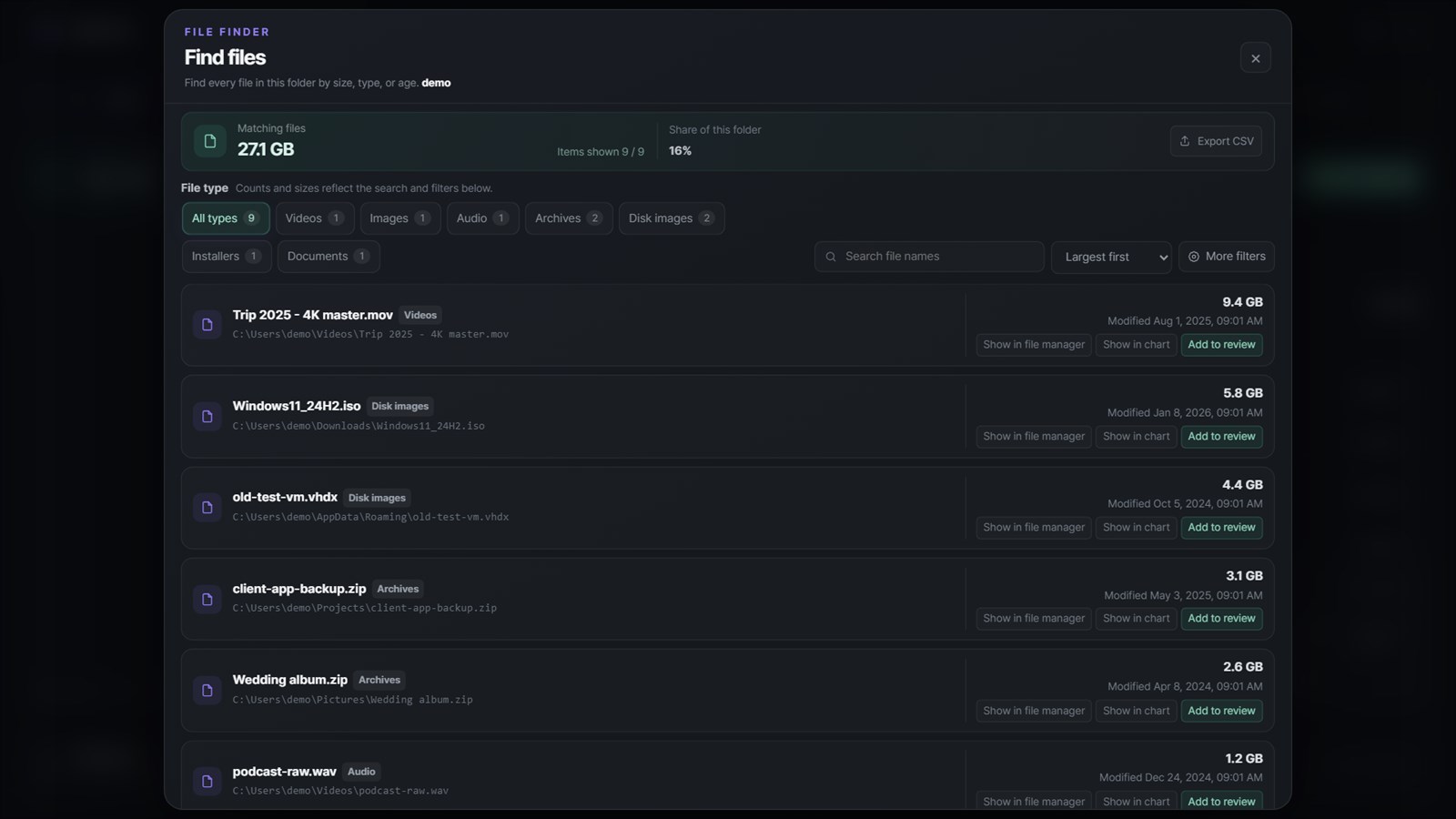
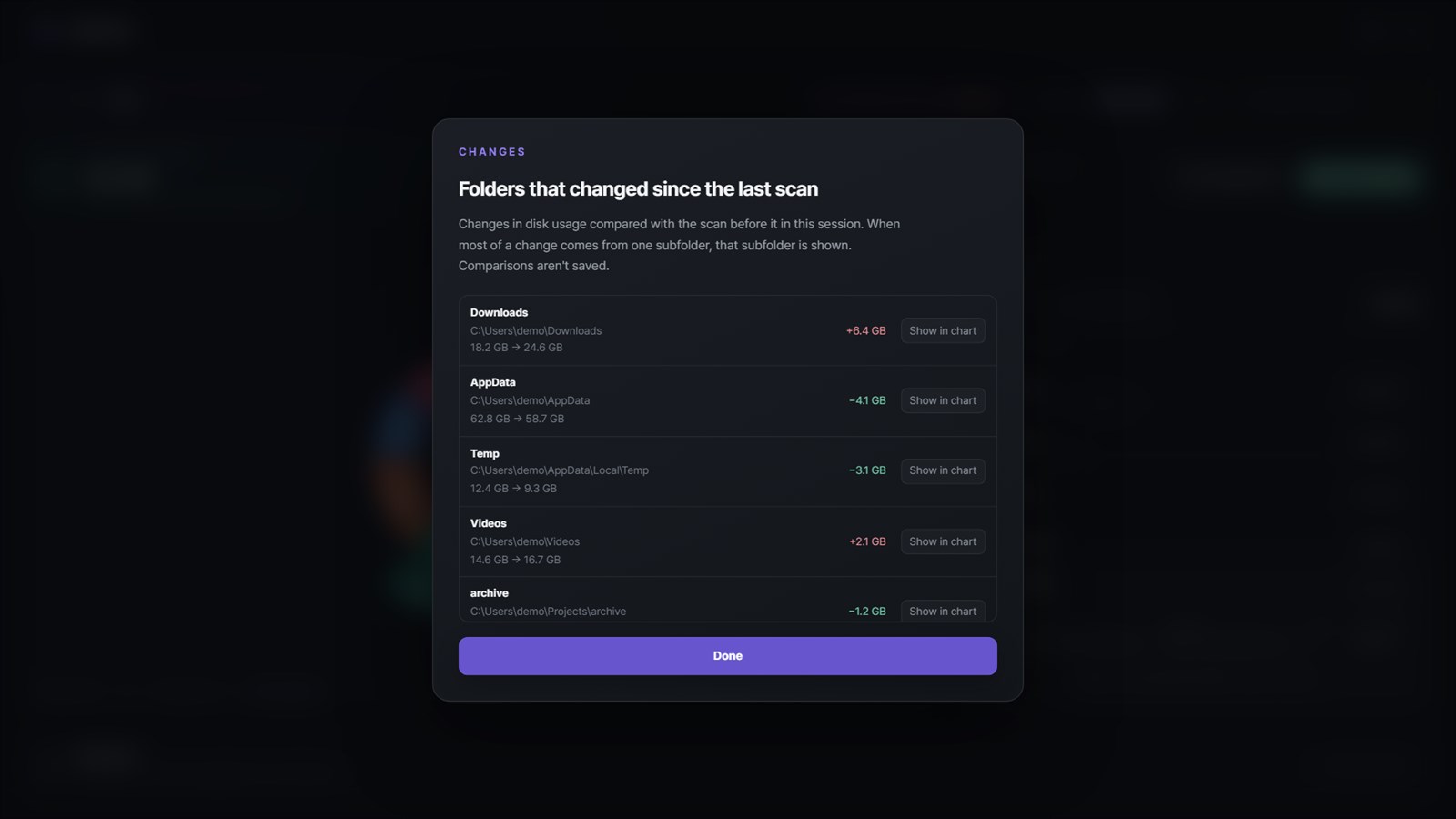
Move into nested folders from the chart or list, and find every file below a folder by size, type, name, or age. After a rescan, see which folders grew or shrank.
Cleanup
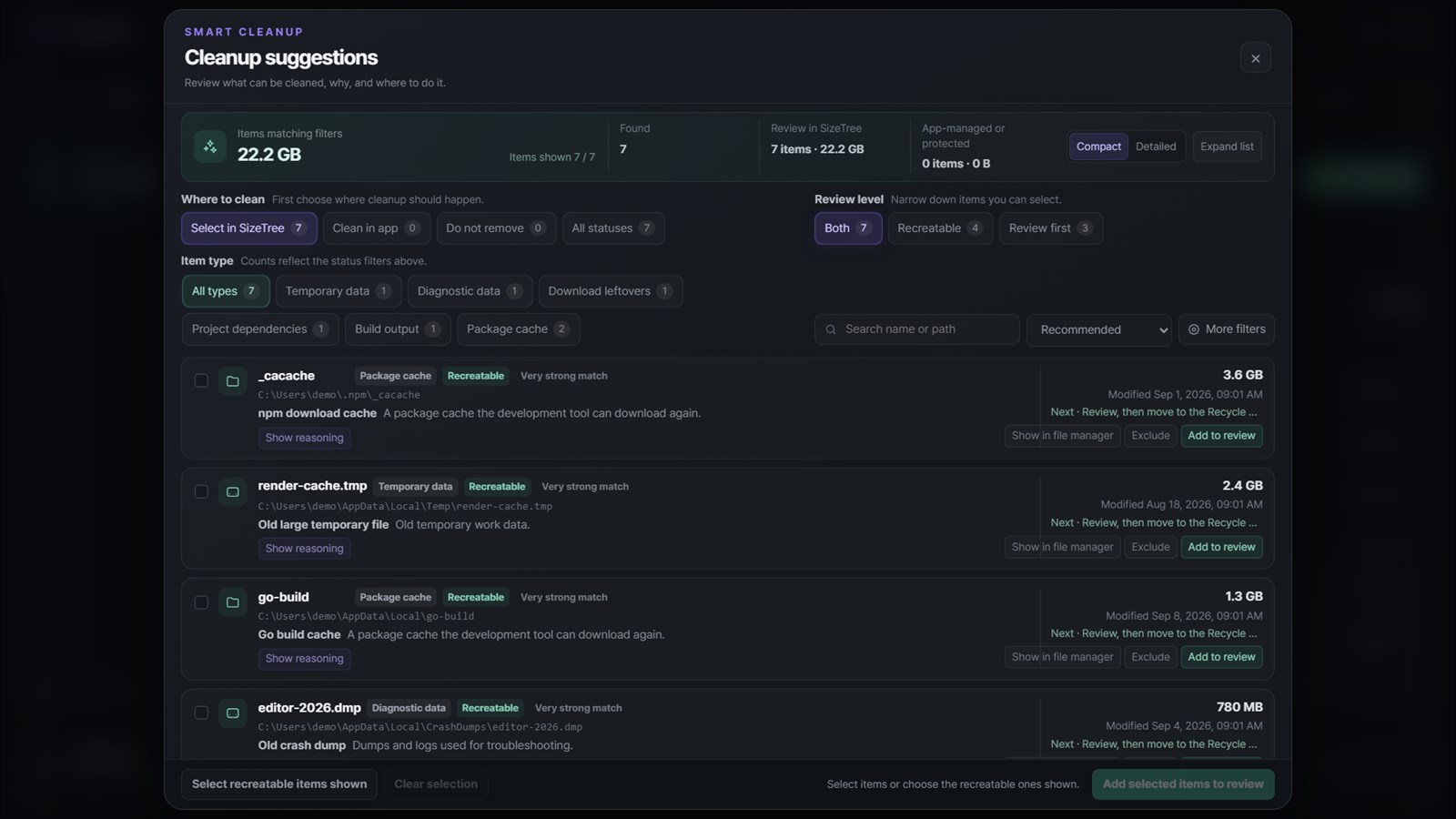
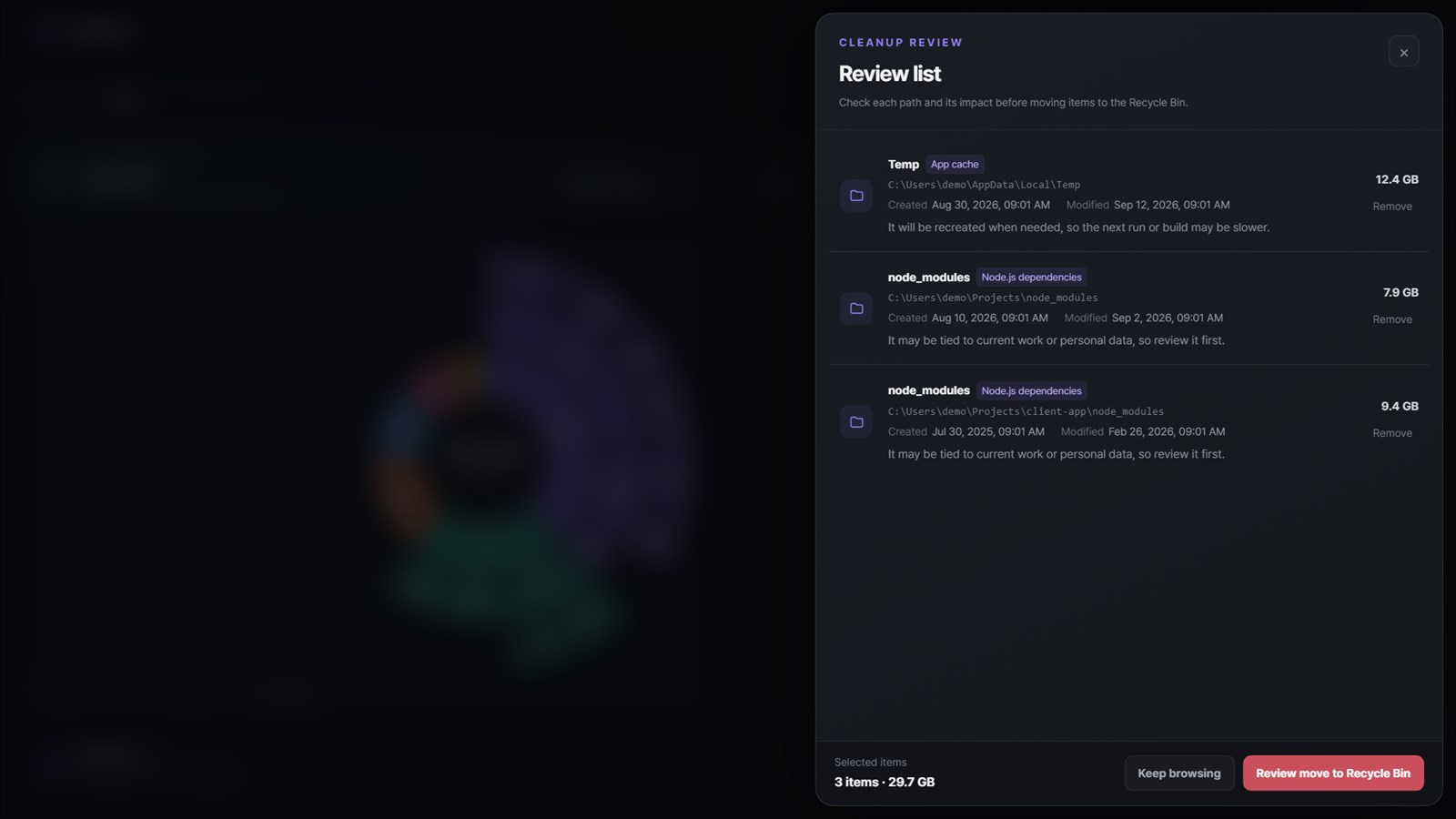
Each suggestion shows why it was found, how strong the match is, and what cleanup will affect. Approved items are checked again right before they move to the Recycle Bin, and nothing is deleted permanently.
Preferences
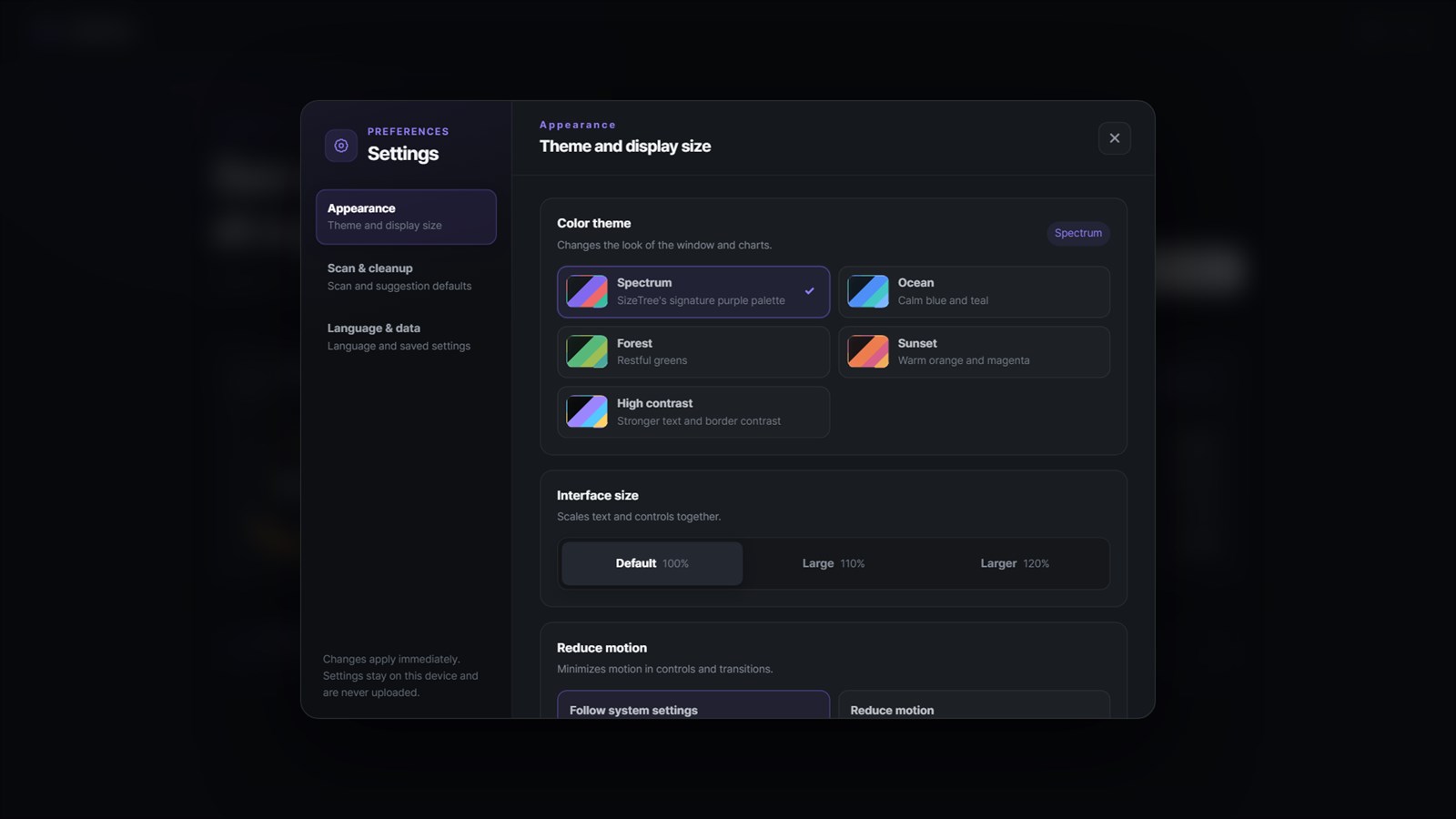
Choose from five color themes including high contrast, scale the interface, and reduce motion. Settings stay on this device and are never uploaded.
03 · Made for
For people who want to reclaim space while keeping every decision in their own hands.
Tracking down oversized archives and disk images
Reviewing development caches and project dependencies
Finding out where free space went
04 · Privacy & safety
SizeTree processes only file-system metadata, with no account, advertising, analytics, tracking, telemetry, or cloud upload. The Windows version installs no service, driver, scheduled task, or startup entry, and the Mac App Store version requests no administrator privileges or Full Disk Access.
Processed on your computer
SizeTree processes only file-system metadata and never reads file contents. Scan results and settings never leave your device.
05 · FAQ
No. Approved items go to the Windows Recycle Bin or the macOS Trash and are never deleted permanently. On Windows, cleanup is blocked on drives that can’t keep items in the Recycle Bin and for protected system and user folders.
It reads the NTFS file index, so Windows asks for approval once. A separate read-only helper collects metadata and exits, while SizeTree itself keeps standard permissions. If you decline, the standard scan runs automatically.
The Mac App Store version is sandboxed and scans the folder you choose in the macOS folder picker. It requests no administrator privileges or Full Disk Access, and selected folder paths and permissions are not kept between launches.
Some protected or sandbox-restricted locations may be skipped. SizeTree lists anything it couldn’t access in Diagnostics, so you always know the scope of a result.
Get SizeTree from Microsoft Store or Mac App Store.
Desktop products
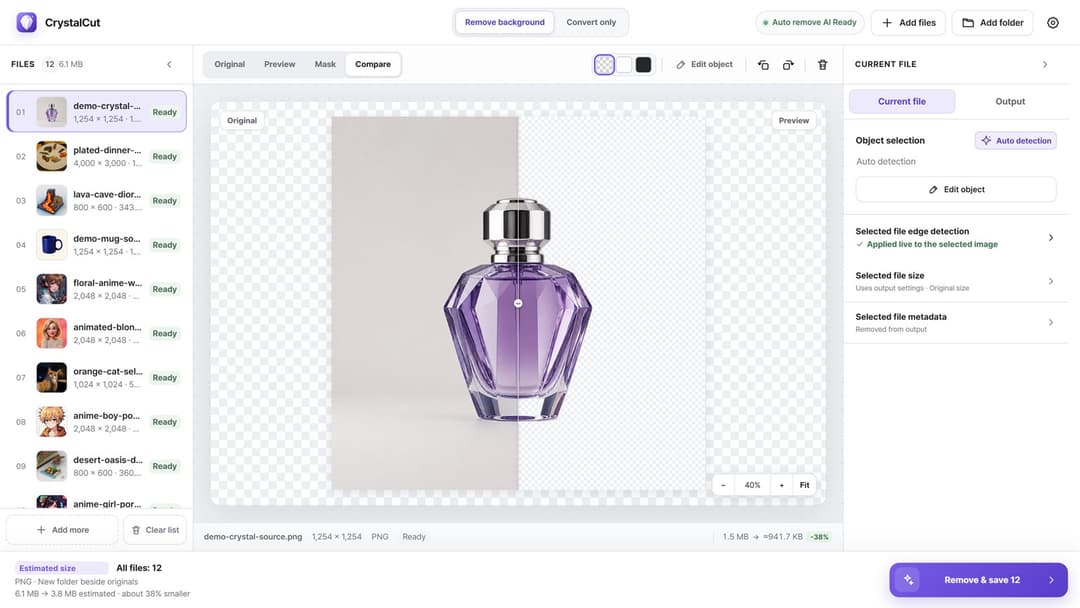
Image utility
Fast images. Private processing.
View productWindows · macOS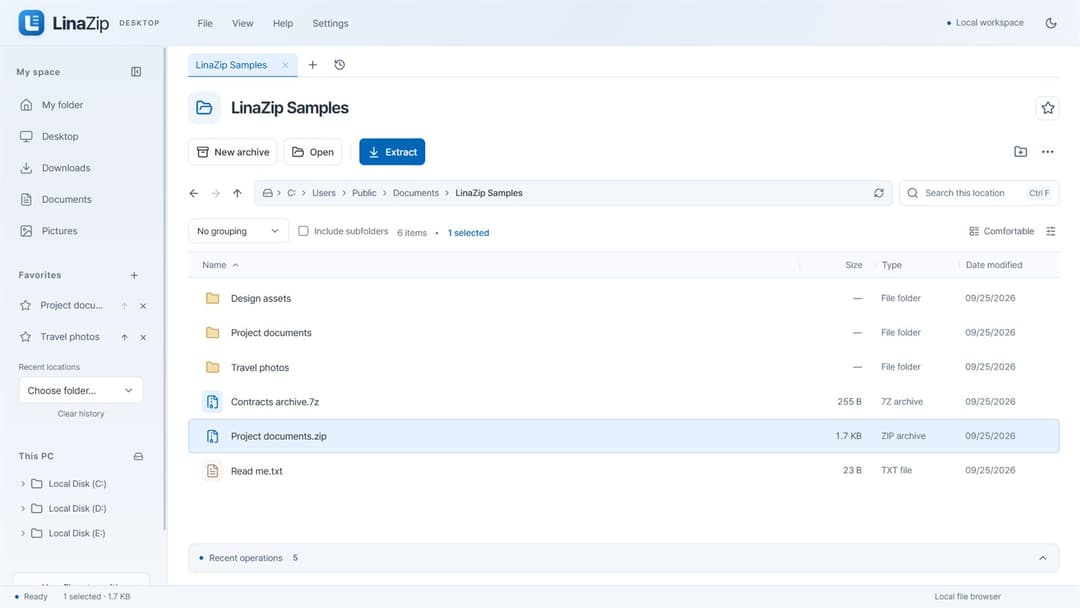
Archive & file utility
Pack together. Split apart. Extract exactly what you need.
View productWindows · macOS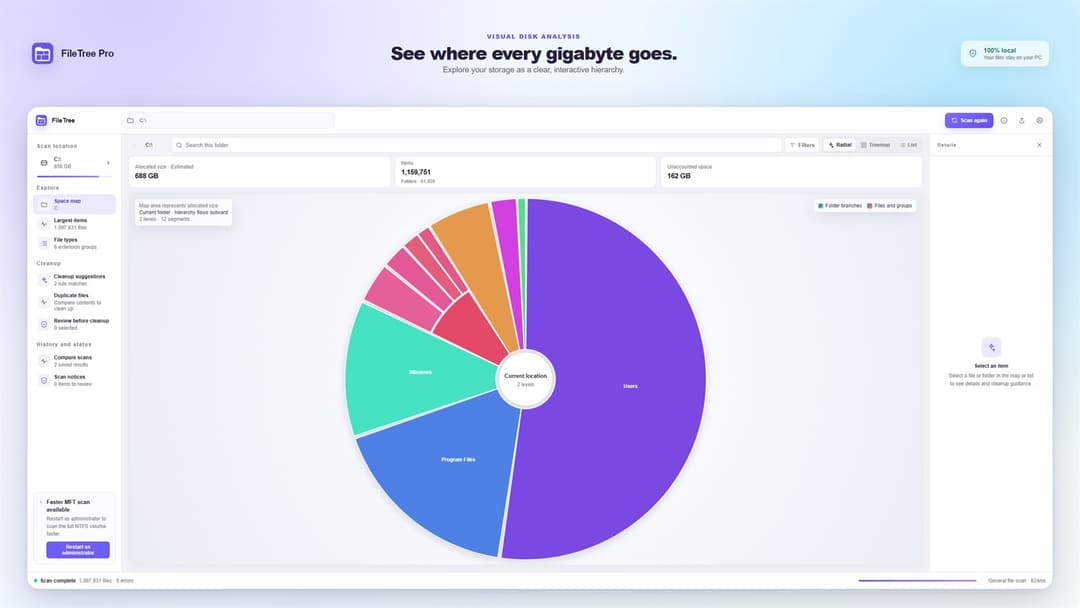
Disk space analyzer
Navigate the file system like a map.
View productWindows · macOS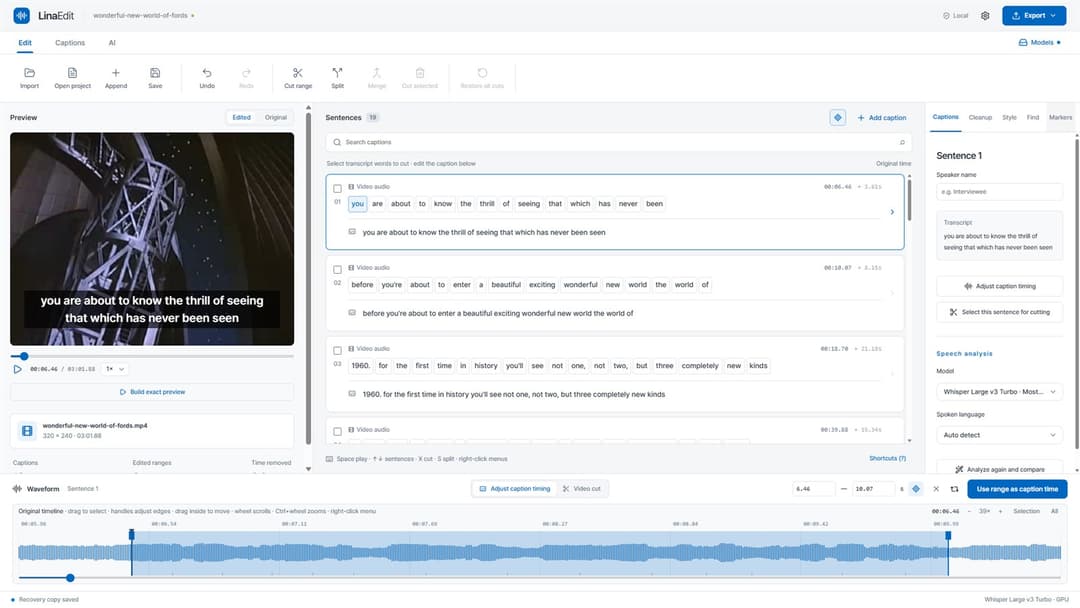
Video & caption editor
Edit video by its transcript.
View productWindows · macOS